Who is this product best for?
- Home and small office routing
- Business internet edge routing
- ISP customer or branch deployments

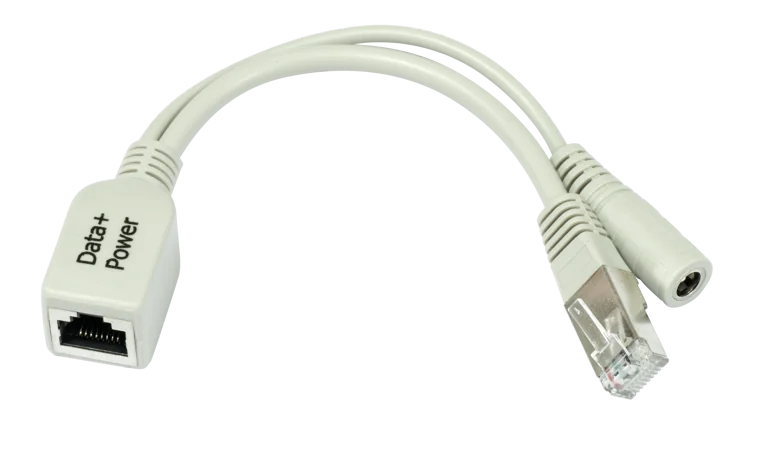
Works with compatible MikroTik RouterOS networks and standard Ethernet networking equipment. Confirm port, power and mounting requirements before purchase.
Check the product label or manufacturer datasheet for exact input voltage, PoE support and power adapter requirements.
The MikroTik RBPOE is a compact passive Power over Ethernet (PoE) injector designed to deliver electrical power to compatible RouterBOARD and networking devices through the same Ethernet cable used for data. It provides a simple way to power MikroTik equipment installed on walls, rooftops, towers, ceilings and other locations where installing a separate electrical socket near the device may be inconvenient.
The RBPOE is especially useful for wireless ISPs, network installers, CCTV integrators, offices, hotels, schools and home networks using compatible passive-PoE equipment. A suitable DC power adapter connects to the injector, while the injector combines power with Ethernet data and sends both over the network cable toward the powered device.
Its compact and uncomplicated design makes the RBPOE a useful accessory for installations where advanced PoE management is unnecessary. However, because it is a passive injector rather than an IEEE 802.3af/at negotiating PoE device, installers must verify the voltage, polarity and PoE compatibility of the equipment before connecting it.
For genuine MikroTik routers, PoE accessories, wireless networking products and professional product-selection assistance in Kenya, customers can source their equipment through Mikrotik Kenya.
MikroTik RBPOE SpecificationsSpecificationDetailsProductMikroTik RBPOEProduct TypePassive PoE InjectorPrimary FunctionAdds DC power to an Ethernet cablePoE TypePassive PoEEthernet ConnectorRJ45Data ConnectionEthernetDC InputBarrel-jack power inputPower AdapterSelected according to powered deviceIEEE 802.3af/at NegotiationNoInstallationIndoor/protected environmentPlug-and-PlayYes, when voltage and device are compatibleConfiguration RequiredNoTypical ApplicationRouterBOARD and compatible passive-PoE equipmentBest ForRouters, CPEs, wireless devices and remote network equipmentWhat Is the MikroTik RBPOE?The RBPOE is a passive PoE injector. Its job is to take DC power from an external power supply and place that power onto the Ethernet cable so that compatible equipment can receive data and power through the same cable.
A typical installation looks like this:
Router/Switch → RBPOE → Ethernet Cable → PoE-Compatible MikroTik Device
The DC adapter also connects to the RBPOE so that power can be inserted into the cable.
ConnectionPurposeLAN/Switch ConnectionSupplies Ethernet dataDC Power AdapterSupplies electrical powerRBPOECombines data and powerEthernet CableCarries data + powerMikroTik DeviceReceives Ethernet and passive PoEKey Features of the MikroTik RBPOEThe main purpose of the RBPOE is to provide passive PoE to compatible equipment.
FeatureBenefitPower over EthernetReduces separate electrical cablingPassive DesignSimple deploymentNo SoftwareNo configuration necessaryCompact ConstructionEasy to place near switches and routersExternal DC SupplyPower can be matched to compatible equipmentPassive PoE can be very convenient, but it differs significantly from standards-based active PoE.
The RBPOE does not negotiate power requirements with the connected device before applying voltage. This means installers should always confirm compatibility first.
2. Power and Data Through One Ethernet CableOne of the main reasons to use the MikroTik RBPOE is to reduce cabling.
Instead of running:
Ethernet cable + electrical cable
you can use:
Ethernet carrying data + compatible passive PoE
Traditional InstallationRBPOE InstallationEthernet cable requiredEthernet cable requiredSeparate nearby power pointPotentially unnecessaryAC adapter near deviceAdapter can remain near injectorMore cablingReduced cablingDifficult remote placementEasier remote placementThis is particularly useful when the networking device is installed somewhere difficult to reach.
3. Ideal for MikroTik RouterBOARD EquipmentThe RBPOE was designed around MikroTik's RouterBOARD ecosystem and can be used with compatible MikroTik devices that accept the relevant passive PoE input.
Possible equipment categories include:
MikroTik wireless CPEs
RouterBOARD devices
Outdoor wireless radios
Compatible access points
Network routers
Wireless bridges
Compatibility should always be checked against the specifications of the exact device rather than assuming every MikroTik product accepts the same passive PoE voltage.
4. Simple Plug-and-Play DesignThe RBPOE does not need RouterOS, SwOS, an IP address or a management interface.
Installation StepAction1Verify device PoE compatibility2Connect LAN Ethernet cable3Connect appropriate DC adapter4Connect PoE Ethernet cable5Connect cable to compatible device6Verify successful power and network linkOnce correctly connected, the injector simply passes Ethernet data while supplying power.
5. Useful for Remote Network EquipmentThe RBPOE becomes especially useful when networking equipment is installed away from a convenient power outlet.
Typical locations include:
Rooftops
Towers
Masts
Walls
Ceilings
Network cabinets
Outdoor enclosures
Remote rooms
Security posts
The injector can remain near the power source while the Ethernet cable runs toward the remote device.
MikroTik RBPOE Applications in KenyaWISPs commonly deploy network equipment on towers, rooftops and customer premises. Passive PoE allows compatible equipment to be powered without installing an AC socket beside every radio.
WISP ApplicationRBPOE RoleCustomer CPEProvides powerWireless BridgeRemote poweringOutdoor RadioPower through EthernetRooftop DeviceEliminates nearby socketRouterBOARDPassive PoE supplyHome NetworksHome users with compatible MikroTik devices can use an RBPOE to simplify installations where the router or access point needs to be placed away from the nearest electrical outlet.
This can be particularly helpful when equipment must be positioned higher on a wall or near the roof to improve wireless coverage.
Office NetworksBusinesses can use compatible PoE-powered MikroTik equipment for:
Wi-Fi coverage
Network distribution
Wireless bridges
Remote routers
Network monitoring
Building-to-building links
The RBPOE provides a straightforward powering option where compatible passive PoE devices are deployed.
Hotel and Hospitality NetworksHotels and hospitality businesses may have networking equipment installed in corridors, ceilings, rooftops and other difficult-to-power locations.
A passive PoE system can reduce the need for electrical sockets next to every compatible networking device.
Schools and UniversitiesEducational institutions can use MikroTik equipment across:
Computer laboratories
Administration buildings
Classrooms
Libraries
Hostels
Campus wireless networks
Building-to-building wireless links
RBPOE injectors can form part of these installations where compatible passive-PoE equipment is used.
CCTV and Security NetworksThe RBPOE can be incorporated into a network involving compatible passive-PoE equipment, but camera voltage and PoE requirements must be checked carefully.
Many modern IP cameras use IEEE 802.3af/at PoE. The RBPOE should not automatically be treated as a replacement for an active 802.3af/at PoE switch or injector.
Passive PoE vs Active PoEUnderstanding the difference between passive and active PoE is essential before purchasing an RBPOE.
FeaturePassive PoEActive 802.3af/at PoEPower NegotiationNoYesVoltage DetectionNoYesDevice HandshakeNoYesComplexityLowHigherCostUsually lowerUsually higherCompatibility CheckEssentialStandards-basedRisk if Incorrectly MatchedHigherLowerRBPOE TypePassiveNoAn active PoE switch checks whether the endpoint is compatible before supplying power. A passive injector typically does not.
Why Correct Voltage MattersOne of the most important considerations when buying an RBPOE is voltage compatibility.
For example, if the connected device is designed for a particular passive-PoE input range, the selected power adapter should remain within that supported range.
Check Before InstallationWhy It MattersDevice Input VoltagePrevents incorrect powerPassive PoE SupportConfirms compatibilityPolarityPrevents electrical damagePower Adapter RatingEnsures sufficient powerCable QualityReduces voltage lossCable LengthAffects voltage dropNever assume that because two devices use RJ45 connectors they have compatible PoE requirements.
Ethernet Cable ConsiderationsThe quality of the Ethernet cable matters when delivering both power and network data.
For professional installations, installers should use good-quality copper Ethernet cable appropriate to the network speed and installation environment.
Cable FactorImportancePure Copper ConductorsBetter power deliveryCorrect CategorySupports required data rateOutdoor JacketNeeded for exposed installationsUV ResistanceUseful for rooftop cablingProper TerminationReduces network faultsAppropriate LengthHelps reduce voltage dropCheap copper-clad aluminium cables can create higher resistance and increased voltage drop, especially on longer PoE runs.
MikroTik RBPOE vs RBGPOEMikroTik has offered different PoE injector accessories, and buyers should distinguish the basic RBPOE from Gigabit-oriented alternatives such as the RBGPOE.
FeatureRBPOERBGPOEProduct TypePassive PoE InjectorGigabit Passive PoE InjectorPrimary PurposeInject power into EthernetInject power into Gigabit EthernetPassive PoEYesYesManagedNoNoConfigurationNoneNoneBest UseCompatible legacy/basic installationsGigabit-capable installationsKey Buying ConsiderationEthernet/device compatibilityGigabit + PoE compatibilityIf Gigabit throughput is required, buyers should verify the Ethernet capability of the injector and consider a Gigabit-compatible model.
MikroTik RBPOE vs GPEN21FeatureRBPOEGPEN21Main PurposeBasic PoE injectionSmart PoE/network edgeEthernet ManagementNoYesSFP PortNoYesSwOS LiteNoYesVLANsNoYesSNMPNoYesTraffic ShapingNoYesPoE FunctionalityYesYesComplexityVery LowHigherBest ApplicationSimple poweringManaged ISP infrastructureThe RBPOE is appropriate when the only requirement is straightforward passive power injection. The GPEN21 is much more advanced and better suited to managed ISP or enterprise deployments.
MikroTik RBPOE vs GPOE-USBFeatureRBPOEGPOE-USBFunctionAdds PoE to EthernetConverts PoE to 5VDirection of PowerDC → EthernetEthernet PoE → USB/DCUSB-C OutputNoYes5V OutputNo dedicated USB outputYesTypical ApplicationPower PoE equipmentPower non-PoE USB equipmentRaspberry Pi UseNot primary purposeYesRouterBOARD PowerYes, compatible modelsSelected USB-C devicesThese products perform essentially opposite roles: RBPOE injects power onto Ethernet, while GPOE-USB extracts and converts PoE power for compatible low-voltage equipment.
Benefits of Using MikroTik RBPOEBenefitDescriptionSimple InstallationNo software configurationFewer CablesData and power share Ethernet infrastructureCompactEasy to deployCost EffectiveBasic alternative to managed PoE systemsRemote PoweringUseful for difficult locationsMikroTik EcosystemDesigned for compatible RouterBOARD equipmentFlexible PlacementHelps optimize device locationWhat to Check Before Buying MikroTik RBPOEBefore ordering, check the specifications of the equipment you plan to power.
RequirementCheckPoE TypePassive PoE requiredVoltageMust match deviceCurrent/PowerAdapter must provide enoughEthernet SpeedMatch network requirementsCable TypeQuality copper Ethernet recommendedCable DistanceAccount for voltage dropEnvironmentProtect injector appropriatelyDevice CompatibilityConfirm exact MikroTik modelWho Should Buy the MikroTik RBPOE?The MikroTik RBPOE is suitable for:
MikroTik installers
Wireless ISPs
Network engineers
Home users
Businesses
Hotels
Schools
Universities
Network integrators
Wireless bridge installers
RouterBOARD users
It is particularly useful when a compatible passive-PoE MikroTik device needs to be installed away from a convenient electrical outlet.
Why Buy MikroTik RBPOE from Mikrotik Kenya?Correct PoE accessories are important because power is being delivered directly through network cabling. Choosing appropriate networking hardware helps ensure a cleaner and more dependable installation.
Before buying an RBPOE, customers can confirm compatibility with their:
MikroTik router
RouterBOARD
Wireless CPE
Access point
Outdoor radio
Power adapter
Ethernet cabling
Customers can also receive assistance selecting equipment for:
Wireless ISP networks
Office networks
Hotels
Schools
Home networks
Wireless bridges
Enterprise networks
PoE infrastructure
In addition to PoE injectors, customers can source MikroTik routers, switches, access points, SFP modules, wireless radios, antennas, interfaces and other networking accessories through Mikrotik Kenya.
Frequently Asked Questions About MikroTik RBPOEThe MikroTik RBPOE is a passive PoE injector designed to add DC power to an Ethernet cable for compatible MikroTik RouterBOARD and networking equipment.
The RBPOE price in Kenya depends on stock availability, supplier pricing, exchange rates and import costs. Contact Mikrotik Kenya for the current selling price.
No. It is a passive PoE injector and does not perform the automatic IEEE 802.3af/at power negotiation found on active PoE equipment.
No. There is no RouterOS or SwOS configuration required.
No. It does not create an internet connection. It simply allows compatible Ethernet data and DC power to travel toward a PoE-powered device.
No. Always check the exact router's PoE input specifications and supported voltage before connecting it.
Yes, provided the access point supports the passive PoE voltage and pin arrangement supplied by the installation.
Only when the camera's power requirements are compatible. Do not connect an RBPOE to a camera simply because the camera says "PoE"; many cameras specifically require IEEE 802.3af/at.
The included package can depend on how the product is supplied. Confirm the package contents and required DC adapter when purchasing.
The injector itself should be installed in a suitably protected environment unless the particular enclosure provides the environmental protection required for the site.
PoE itself does not inherently reduce network speed. However, the Ethernet capability of the injector, cable and connected devices can limit the maximum link speed.
Use good-quality pure-copper Ethernet cabling appropriate to the network speed. Outdoor installations should use suitable outdoor-rated cable.
Both are passive PoE injector accessories, but RBGPOE is specifically designed for Gigabit Ethernet applications. Verify the required Ethernet speed before choosing between them.
It is reliable when correctly matched. Because passive PoE does not negotiate before supplying power, connecting incompatible voltage or equipment can potentially damage hardware.
You can purchase MikroTik PoE accessories and obtain compatibility assistance through Mikrotik Kenya.
MikroTik RBPOE Video Guide
The MikroTik RBPOE demonstrates one of the most practical advantages of Power over Ethernet: networking equipment does not always need a separate electrical socket beside it. By placing the injector near the network switch and power source, an installer can send both network data and compatible passive PoE over the Ethernet cable toward a remotely positioned RouterBOARD or wireless device. This makes it easier to place networking equipment where it provides the best performance rather than limiting installation to locations where AC sockets are available.
This approach is particularly valuable for wireless CPEs, rooftop radios, wireless bridges and other remotely mounted MikroTik equipment. For example, a wireless device can be installed high on a building for better line of sight while its power supply and RBPOE remain safely indoors. The Ethernet cable then becomes the link carrying both connectivity and electrical power between the two locations, resulting in a cleaner and more manageable installation.
Correct equipment selection is nevertheless essential because the RBPOE uses passive PoE. Unlike an active IEEE 802.3af/at system, passive PoE does not automatically negotiate the appropriate power requirements before applying voltage. Installers should therefore confirm the supported input voltage, power requirements, Ethernet capability, cable quality and PoE specifications of the connected equipment. When properly matched with compatible MikroTik hardware, the RBPOE provides a simple and economical method of powering remote network devices.
The MikroTik RBPOE is a simple, practical and cost-effective passive PoE injector for compatible MikroTik RouterBOARD and networking equipment. By combining Ethernet data and DC power over the same cable, it can reduce installation complexity and make it easier to position routers, wireless CPEs and other network devices away from conventional electrical outlets.
Its straightforward plug-and-play operation makes the RBPOE particularly useful for home networks, wireless ISP deployments, offices, schools, hotels and professional MikroTik installations. Because it uses passive PoE, however, the connected device's voltage, polarity, Ethernet capability and PoE specifications should always be verified before installation.
Whether you need an RBPOE for a MikroTik RouterBOARD, wireless CPE, access point, wireless bridge or professional network installation, Mikrotik Kenya supplies MikroTik networking equipment and accessories together with product-selection guidance and networking solutions for customers across Kenya.
Reviews are not available yet for this product.
RBPOE is currently listed as available. Stock can change, so confirm availability before placing a large order.
The current listed price is KSh 1,500.00. Prices are generated from the product catalogue and may change when inventory is updated.
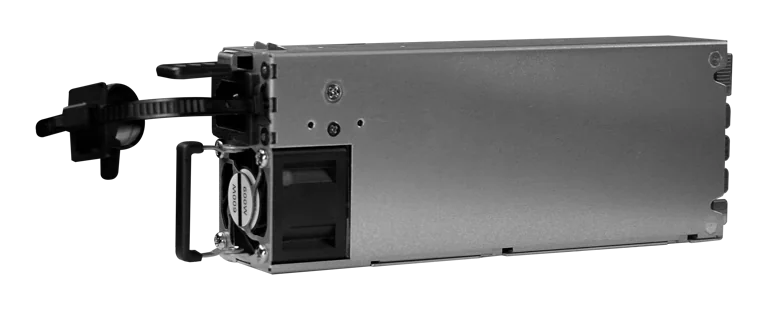
Buy MikroTik G1483-0600WNB in Kenya, a 600W hot-swappable 54.5V 10.35A power supply for the CRS320-8P-8B-4S+RM PoE++ switch, support
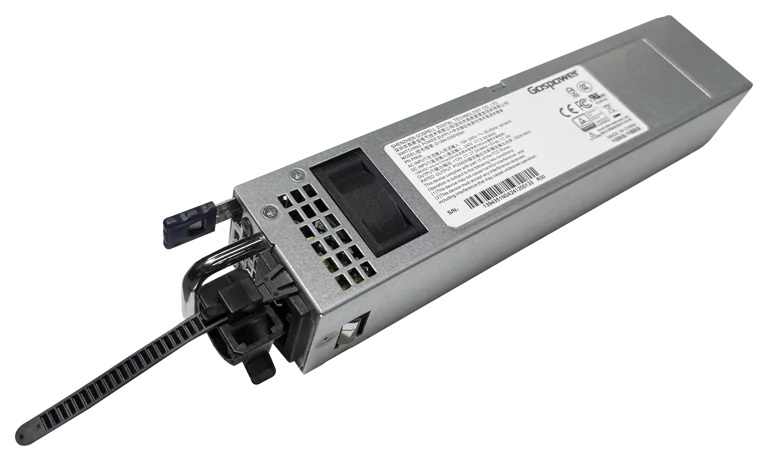
Buy MikroTik G1394-0350WNA in Kenya, a 350W hot-swappable 12V DC 27.5A AC power supply designed for the MikroTik CRS804 DDQ 400G swi
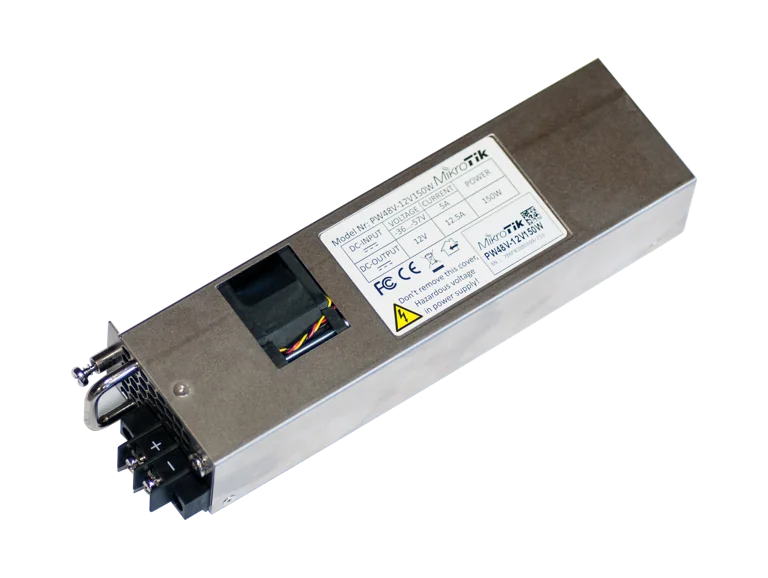
Buy MikroTik PW48V-12V150W in Kenya, a 150W hot-swappable -48V DC telecom power supply for CCR1072, CCR2216, CRS518 and CRS520 high-
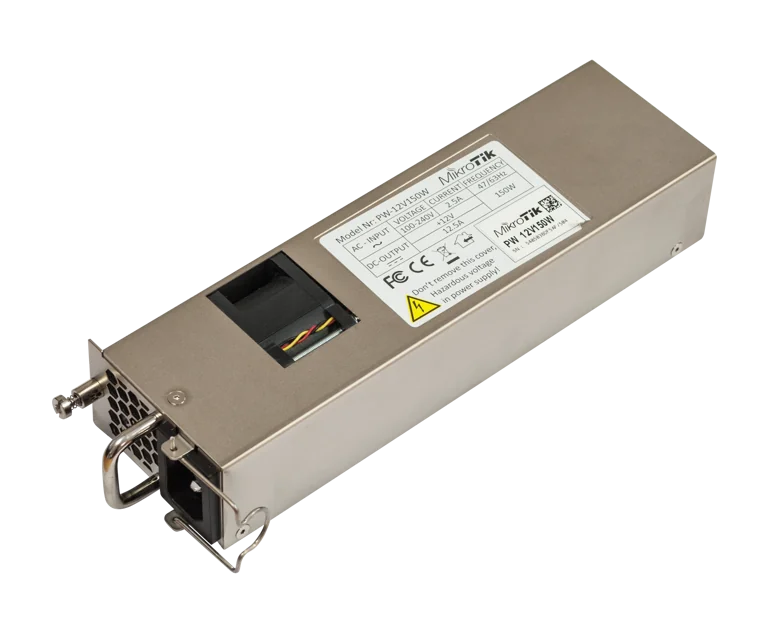
Buy MikroTik 12POW150 in Kenya, a 12V 150W hot-swap AC/DC power supply for CCR1072, CCR2216, CRS518 and CRS520 high-availability net
