Who is this product best for?
- Home and small office routing
- Business internet edge routing
- ISP customer or branch deployments

Works with compatible MikroTik RouterOS networks and standard Ethernet networking equipment. Confirm port, power and mounting requirements before purchase.
Check the product label or manufacturer datasheet for exact input voltage, PoE support and power adapter requirements.

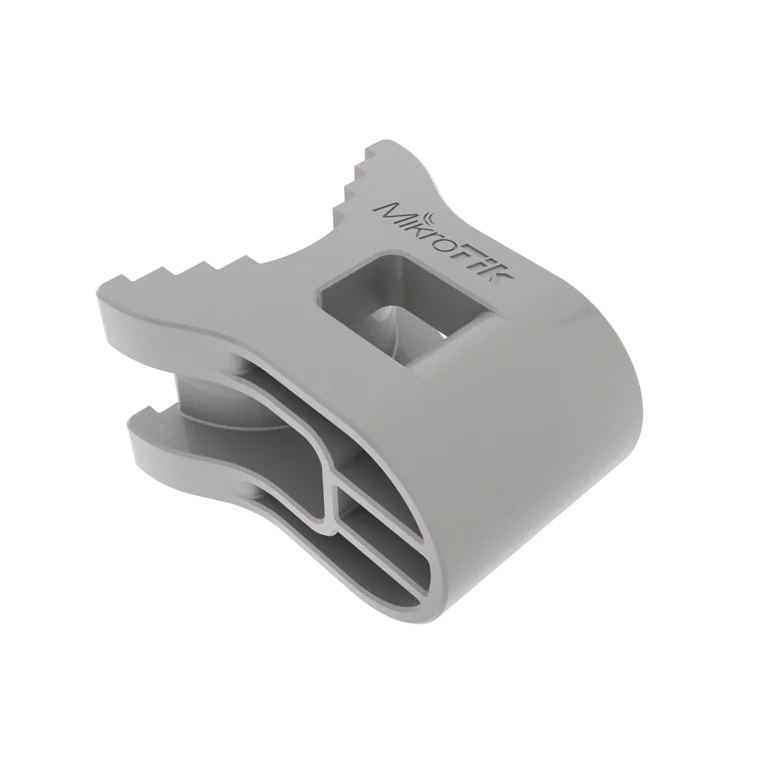
The MikroTik QM-X, also known as quickMOUNT-X, is a compact pole-mounting adapter designed to make the positioning of compatible MikroTik outdoor wireless devices much easier. It adds an extra adjustment axis to compatible SXTsq and DISC-series equipment, allowing the mounted device to be adjusted both vertically and horizontally after installation on a pole or mast. (cdn.mikrotik.com)
This ability to fine-tune antenna direction is particularly useful for point-to-point wireless links, WISP customer installations, CCTV backhaul, rural connectivity, building-to-building links and ISP deployments. Correct antenna alignment can be critical to achieving a reliable wireless link, particularly over longer distances where even a relatively small positioning error may affect signal quality.
MikroTik designed the QM-X to be lightweight, easy to use and durable, with a simple construction that avoids numerous small components that could be lost or broken during field installation. The official quick guide specifies a glass-fibre-reinforced nylon construction, dimensions of approximately 60 × 56 × 35 mm, support for antennas weighing up to 2 kg, and attachment to poles up to approximately 60 mm in diameter. (cdn.mikrotik.com)
MikroTik currently lists the QM-X at a suggested manufacturer price of US$3 and an MTBF of approximately 100,000 hours at 25°C. A current Kenyan retailer listing also shows the QM-X at approximately KSh 1,200, although local prices can change with stock, VAT and supplier pricing. (starlinkkenya254.co.ke)
MikroTik QM-X Detailed SpecificationsSpecificationDetailsProduct NameMikroTik QM-X / quickMOUNT-XProduct CodeQM-XProduct TypeAdjustable pole-mount adapterPrimary PurposeAdds vertical and horizontal adjustment to compatible outdoor MikroTik devicesDimensionsApprox. 60 × 56 × 35 mmMaterialGlass-fibre-reinforced nylonMinimum/Reference Tube DiameterApprox. 30 mmMaximum Pole DiameterApprox. 60 mmMaximum Supported Antenna Weight2 kgMain Compatible FamiliesSXTsq series and DISC 5 seriesAdjustmentVertical and horizontalInstallation LocationPole or mastPower RequiredNoRouterOS RequiredNoSuggested Manufacturer PriceUS$3MTBFApprox. 100,000 hours at 25°CThe physical dimensions, supported antenna weight, compatible families and construction material are specified in MikroTik's official QM-X brochure. (cdn.mikrotik.com)
What Is the MikroTik QM-X?The QM-X is not an antenna, router or wireless access point. It is a mechanical positioning accessory that sits between a compatible MikroTik outdoor wireless device and the pole on which it is installed.
Its purpose can be summarized as:
SXTsq / compatible DISC device → QM-X → pole or mast
Once installed, the QM-X gives the technician more freedom to change the antenna's direction rather than relying only on the fixed positioning available from a basic metal mounting ring.
MikroTik specifically introduced the accessory in response to demand for better pole-mounting options for the SXTsq family.
Key Features of MikroTik QM-XQM-X allows the antenna to be tilted vertically.
This is useful where the transmitting and receiving points are at different elevations, for example:
A rooftop connecting to a lower building
A tower communicating with a customer site
A hilltop wireless station serving a lower location
A building linking to another structure at a different height
Adjusting elevation can help aim a directional antenna more precisely toward the remote station.
2. Horizontal AdjustmentThe mount also enables horizontal positioning on the pole. MikroTik specifically advertises the accessory as allowing both vertical and horizontal adjustment. (MikroTik Help)
This makes it easier to point the device left or right toward the remote wireless endpoint.
Together, the two adjustment axes make alignment significantly more flexible than a fixed pole attachment.
3. Designed for SXTsq DevicesOne of the primary applications of QM-X is the MikroTik SXTsq family.
MikroTik's current SXTsq documentation describes quickMOUNT-X as an optional bracket specially designed for the SQ series to provide vertical and horizontal adjustment. (MikroTik Help)
This can include products from the SXTsq family where the mounting geometry supports the accessory.
4. Compatible with DISC 5 SeriesThe official QM-X documentation also identifies DISC 5 series devices as compatible. (cdn.mikrotik.com)
This makes the adapter useful beyond the SXTsq line.
MikroTik QM-X CompatibilityDevice / FamilyCompatibility GuidanceSXTsq SeriesYes – primary supported familySXTsq Lite5Supported family; QM-X appears as a related accessorySXTsq 5 High PowerListed as related productSXTsq 5 acListed as related productSXTsq Lite2Listed as related productSXTsq Lite60Listed as related productSXTsq-5axDCurrent manual references quickMOUNT-X as optional adjustment bracketDISC 5 SeriesOfficially supportedDISC Lite5Listed as related productDISC Lite5 acListed as related productLHG SeriesUse the mounting accessory specifically intended for the model; do not assume QM-X fitThird-Party AntennasNot officially specifiedMikroTik's QM-X product page lists products including DISC Lite5, SXTsq Lite5, SXTsq 5 High Power, SXTsq 5 ac, DISC Lite5 ac, SXTsq Lite2 and SXTsq Lite60 as related products.
5. Glass-Fibre-Reinforced Nylon ConstructionThe official brochure specifies glass-fibre-reinforced nylon as the material used for the QM-X. (cdn.mikrotik.com)
This allows the bracket to remain:
Lightweight
Strong
Resistant to normal field handling
Free from unnecessary small mechanical components
MikroTik describes the product as extremely durable and deliberately simple.
6. Supports Antennas Up to 2 kgThe official QM-X specifications give a maximum antenna weight of 2 kg. (cdn.mikrotik.com)
This figure is important because the adapter should not be used as a universal mount for arbitrary heavy antennas.
Always confirm the weight and mounting compatibility of the device before installation.
7. Works with Poles Up to Approximately 60 mmThe QM-X brochure specifies a maximum tube diameter of approximately 60 mm. (cdn.mikrotik.com)
The quick guide additionally states that the supplied hose clamp has a clamping range of approximately 30–70 mm. (cdn.mikrotik.com)
Because these figures describe slightly different aspects of the mounting hardware, installers should follow the exact supplied mounting instructions and confirm that the chosen mast fits securely before final tightening.
8. Compact SizeAt approximately 60 × 56 × 35 mm, the QM-X is very small compared with the wireless equipment it supports. (cdn.mikrotik.com)
This compact design makes it easy for installers to carry several units when performing multiple WISP or customer installations.
9. Simple InstallationMikroTik's official installation guide describes three basic steps:
Attach the QM-X to the compatible device.
Mount the assembled device to the pole or mast.
Secure the Ethernet cable to the installation structure approximately 30 cm away from the device. (cdn.mikrotik.com)
The same guide says that cable openings should face downward when mounting outdoors. (cdn.mikrotik.com)
10. Hose Clamp IncludedThe official quick guide lists the package contents as:
QM-X mount
SUS304 hose clamp
The hose clamp is specified as a Phillips-type clamp with a clamping range of approximately 30–70 mm. (cdn.mikrotik.com)
MikroTik QM-X Package and Installation DetailsItem / RequirementDetailsQM-X MountIncludedHose ClampIncludedClamp MaterialSUS304Clamp TypePhillips-typeApprox. Clamp Range30–70 mmRecommended Device MountingAttach QM-X first, then mount assembly to poleEthernet Cable SupportSecure cable to mast/pole around 30 cm from deviceCable Opening Orientation OutdoorsDownwardsGroundingInstallation structure and wireless equipment should be properly groundedRouterOS SetupNot required for the mount itselfMikroTik's official quick guide provides these installation and mounting instructions. (cdn.mikrotik.com)
11. Useful for Point-to-Point Wireless LinksPoint-to-point links use directional antennas aimed toward each other.
QM-X can make this alignment process easier by giving technicians control over:
Azimuth
Elevation
Final antenna direction
This is useful when installing wireless connections between buildings or towers.
12. Useful for WISPsWireless Internet Service Providers frequently install directional customer-premises equipment on:
Rooftops
Masts
Poles
Towers
QM-X gives technicians more control when aiming SXTsq devices toward an access point.
That can make installation faster than repeatedly repositioning the entire pole clamp.
13. Useful for Rural Internet ConnectionsRural wireless deployments often require precise antenna positioning because customer sites may be several kilometres from the ISP tower.
An adjustable mount can therefore help installers point the antenna accurately toward the serving base station.
Actual wireless performance still depends on:
Distance
Frequency
Antenna gain
Interference
Line of sight
Fresnel-zone clearance
Radio configuration
The QM-X itself does not increase wireless power or antenna gain.
14. Useful for Building-to-Building LinksBusinesses can use compatible MikroTik wireless devices to link two buildings without laying fiber between them.
QM-X can help technicians align the directional radios mounted on each building.
15. Useful for CCTV BackhaulDirectional MikroTik wireless links are sometimes used to carry IP camera traffic from remote areas back to a central CCTV network.
An adjustable mounting bracket makes it easier to align the wireless backhaul equipment accurately.
MikroTik QM-X Price in KenyaMikroTik currently gives the QM-X an official suggested price of US$3.
A current Kenyan listing found during the price check shows the MikroTik QM-X at KSh 1,200. Local prices can change depending on supplier, availability, VAT and import costs. (starlinkkenya254.co.ke)
Pricing InformationDetailsMikroTik Suggested PriceUS$3Observed Kenya ListingApprox. KSh 1,200Final Kenya PriceConfirm before orderingVATMay affect final priceAvailabilityDepends on local stockSXTsq Device IncludedNoDISC Device IncludedNoHose ClampIncluded according to official quick guideRecommended Buying ApproachConfirm device compatibility and current stockFor the latest local pricing and availability, contact Mikrotik Kenya.
QM-X vs Standard SXTsq Mounting RingSXTsq devices normally include a metal mounting ring. MikroTik's SXTsq documentation states that this standard ring can be attached through one of three mounting slots on the back of the device and supports poles approximately 3–7 cm in diameter. (MikroTik Help)
The QM-X is an optional accessory that adds easier directional adjustment.
The standard ring is suitable for straightforward mounting, while QM-X is useful when more precise vertical and horizontal alignment is needed.
QM-X vs Other MikroTik MountsMikroTik also sells other mounting accessories such as:
QM quickMOUNT
QMP quickMOUNT PRO
QME quickMOUNT extra
QMP-LHG
LHG mount
SXTsq-mount
These accessories are not automatically interchangeable.
The QM-X is specifically optimized for compatible SXTsq and DISC devices, so customers should choose the mounting accessory that matches their exact hardware. (MikroTik)
Advantages of MikroTik QM-XThe main benefits include:
Vertical antenna adjustment
Horizontal antenna adjustment
Designed for SXTsq devices
Compatible with DISC 5 series
Compact size
Lightweight design
Glass-fibre-reinforced nylon construction
Supports devices up to 2 kg
Simple pole installation
Hose clamp included
No electricity required
No software configuration
Low official suggested price
The QM-X itself is part of the mounting system, but outdoor reliability also depends on correctly installing the radio.
For compatible SXTsq devices, MikroTik recommends:
Pointing cable openings downwards
Proper grounding
Securing the Ethernet cable to the pole
Leaving approximately 30 cm between the device and the first cable securing point
Observing the weather protection requirements of the actual wireless device
The tower, pole or mast and the network equipment should also be properly grounded. (cdn.mikrotik.com)
Frequently Asked Questions About MikroTik QM-XThe MikroTik QM-X, or quickMOUNT-X, is an adjustable pole-mount bracket designed mainly for compatible SXTsq and DISC-series wireless devices. It allows both vertical and horizontal positioning on a pole.
The official product code is QM-X.
It adds an additional adjustment axis to the mounting arrangement, allowing a compatible antenna to be adjusted vertically and horizontally rather than remaining in a basic fixed pole position.
MikroTik currently lists a suggested manufacturer price of US$3.
A current Kenyan retailer listing found during the search shows approximately KSh 1,200. Prices can change, so buyers should confirm current stock and selling price before ordering.
Yes. It was specifically developed to provide additional mounting adjustment for the SXTsq family.
Yes. MikroTik lists SXTsq Lite5 among the QM-X related products, and the SXTsq documentation references quickMOUNT-X as the optional adjustable mounting solution. (MikroTik)
MikroTik lists SXTsq 5 High Power as a related QM-X product.
Yes. MikroTik lists the SXTsq 5 ac among the related products.
MikroTik lists SXTsq Lite2 as a related product for QM-X.
SXTsq Lite60 is also listed among MikroTik's related products for the QM-X.
MikroTik's current SXTsq-5axD documentation specifically references quickMOUNT-X as an optional mounting bracket for easy vertical and horizontal adjustment.
Yes. The official quick guide states that QM-X is designed for SXT sq series and DISC 5 series devices.
Yes. DISC Lite5 is listed as a related product on MikroTik's QM-X product page.
Yes. MikroTik also lists DISC Lite5 ac as a related product.
Do not assume so. MikroTik provides separate mounting accessories for LHG products. Use the mount specified for the exact LHG model.
No. Although mechanically simple, it is designed around specific MikroTik product families. Compatibility should be confirmed before purchase.
MikroTik does not advertise it as a universal third-party antenna mount. Hole spacing, enclosure shape and weight must match the intended mounting design.
The official brochure specifies approximately 60 × 56 × 35 mm.
MikroTik specifies glass-fibre-reinforced nylon.
The primary mount itself is specified as glass-fibre-reinforced nylon. The package also includes a SUS304 metal hose clamp.
MikroTik specifies a maximum antenna weight of 2 kg.
The product brochure specifies a maximum pole diameter of approximately 60 mm, while the supplied hose clamp is documented with a 30–70 mm clamping range. Installers should use the supplied hardware according to MikroTik's instructions.
Yes. This is one of its main functions.
Yes. MikroTik explicitly states that it allows both vertical and horizontal adjustment on a pole.
Not directly. It contains no radio electronics. However, more accurate antenna alignment can help a compatible directional wireless link achieve the signal conditions the radio is capable of providing.
No. Antenna gain is determined by the antenna itself.
No. It does not contain a radio transmitter.
The mount itself does not amplify signals, but better alignment of a directional antenna can improve received signal levels if the original antenna position was inaccurate.
No.
It is a passive mechanical mounting accessory.
No. The compatible radio may require PoE, but the QM-X itself does not.
No.
No.
No.
No.
No. It only changes the physical mounting and positioning of the radio.
Yes. MikroTik's official quick guide specifies a SUS304 hose clamp in the package.
The supplied clamp is documented with an approximate 30–70 mm clamping range.
MikroTik recommends securing the Ethernet cable to the installation infrastructure approximately 30 cm from the device. Zip ties are recommended for this purpose.
Supporting the cable reduces unnecessary movement and strain on the device's Ethernet connection, especially outdoors where wind may move loose cables.
MikroTik recommends positioning outdoor cable openings downwards.
This helps the outdoor device's weather-protection design work as intended and reduces the possibility of water entering through cable openings.
No. Weather resistance depends on the wireless device itself and proper installation. The mount does not change the radio's IP rating.
It is intended for pole-mounted outdoor wireless equipment. However, the actual network device's weather protection and installation requirements must always be followed.
MikroTik says the installation infrastructure, including towers and masts, and the router itself should be properly grounded.
Yes. MikroTik's instructions refer to installation on a mast or pole.
Yes, provided the pole size, structural installation, grounding and device requirements are appropriate.
Yes. This is one of its most practical uses because precise antenna alignment is often required when a customer's SXTsq radio must point toward a WISP tower.
Yes. Adjustable positioning can make directional antennas easier to align toward one another.
It can be useful because directional alignment becomes increasingly important on longer links. The actual achievable distance depends on the radios, antenna gain, frequency, terrain, interference and line of sight.
Yes, if compatible SXTsq or DISC equipment is being used as the wireless bridge.
Yes. QM-X can assist with aligning compatible directional MikroTik devices used for building-to-building links.
Yes. It can be particularly useful where a directional customer radio must be precisely aimed toward a distant ISP access point.
Yes. Providing easier positioning after pole mounting is the main reason QM-X exists.
No. MikroTik describes it as lightweight and easy to use. Its official instructions involve attaching the mount to the radio, mounting the assembly to the pole and securing the Ethernet cable.
The exact installation may vary, but the supplied hose clamp is a Phillips-type clamp, so a suitable Phillips screwdriver may be used during installation.
Someone familiar with outdoor wireless installation may be able to install it easily. For rooftop, tower or high-mast work, proper fall protection, grounding and professional installation procedures are important.
No. It only mounts and positions the compatible wireless device.
No. The radio is sold separately.
No.
MikroTik lists an MTBF of approximately 100,000 hours at 25°C.
It provides more positioning flexibility. The basic ring can be adequate where the radio naturally points in the required direction, while QM-X is useful when installers need easier vertical and horizontal adjustment.
You can source the MikroTik QM-X quickMOUNT-X, SXTsq wireless devices and related outdoor networking accessories through Mikrotik Kenya.
MikroTik QM-X Video GuideWatch the MikroTik QM-X video guide on YouTube
The MikroTik QM-X is a small accessory that can make a significant difference during outdoor wireless installation. Directional radios such as the SXTsq family need to be aimed toward the remote wireless station, and the ability to adjust both elevation and horizontal direction makes final alignment considerably easier than relying only on a basic fixed pole attachment. MikroTik developed the QM-X specifically to provide this extra positioning flexibility.
Its compact 60 × 56 × 35 mm construction, glass-fibre-reinforced nylon material and support for equipment weighing up to 2 kg make it suitable for lightweight outdoor CPE installations. The supplied SUS304 hose clamp also simplifies pole installation, while MikroTik's quick guide recommends securing the Ethernet cable around 30 cm from the radio and orienting outdoor cable openings downwards
For Kenyan WISPs, businesses and installers deploying SXTsq or compatible DISC equipment, QM-X provides an inexpensive way to improve mounting flexibility. MikroTik's official suggested price is only US$3, while a current Kenyan retailer listing shows approximately KSh 1,200, although current local stock and pricing should always be confirmed before purchase.
ConclusionThe MikroTik QM-X quickMOUNT-X is a lightweight adjustable pole-mount accessory designed primarily for SXTsq and DISC 5-series wireless devices. Its key advantage is the ability to provide both vertical and horizontal adjustment, helping technicians position directional outdoor radios accurately toward the remote station.
With dimensions of approximately 60 × 56 × 35 mm, glass-fibre-reinforced nylon construction, support for antennas weighing up to 2 kg, a supplied stainless-steel hose clamp and a suggested price of US$3, QM-X is a simple and affordable addition to professional MikroTik outdoor wireless installations.
Whether you are installing an SXTsq wireless CPE, point-to-point link, WISP customer connection, CCTV wireless backhaul or building-to-building network, Mikrotik Kenya provides MikroTik QM-X mounts, compatible wireless devices, PoE equipment and networking accessories for professional installations across Kenya.
Reviews are not available yet for this product.
QM-X is currently listed as available. Stock can change, so confirm availability before placing a large order.
The current listed price is KSh 1,500.00. Prices are generated from the product catalogue and may change when inventory is updated.
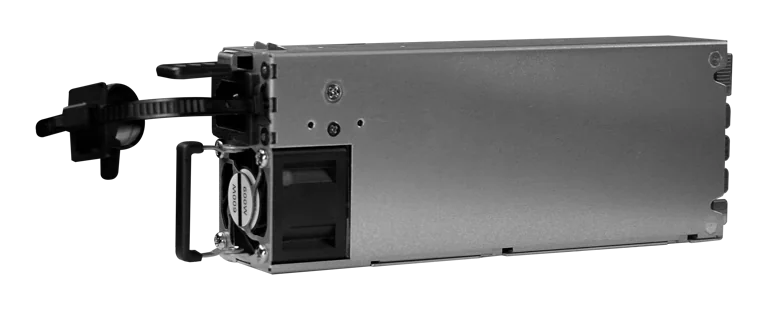
Buy MikroTik G1483-0600WNB in Kenya, a 600W hot-swappable 54.5V 10.35A power supply for the CRS320-8P-8B-4S+RM PoE++ switch, support
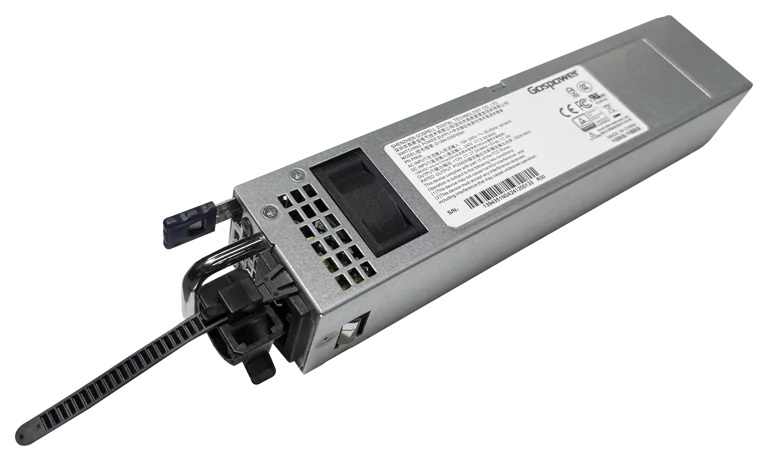
Buy MikroTik G1394-0350WNA in Kenya, a 350W hot-swappable 12V DC 27.5A AC power supply designed for the MikroTik CRS804 DDQ 400G swi
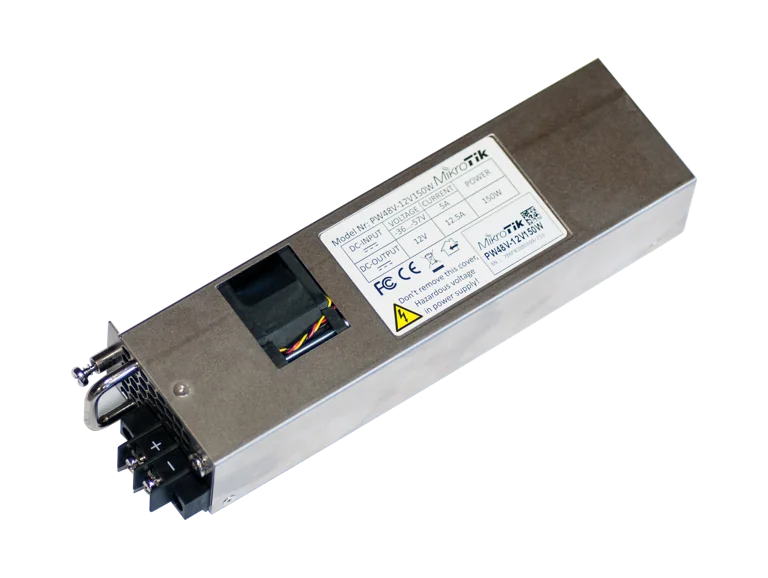
Buy MikroTik PW48V-12V150W in Kenya, a 150W hot-swappable -48V DC telecom power supply for CCR1072, CCR2216, CRS518 and CRS520 high-
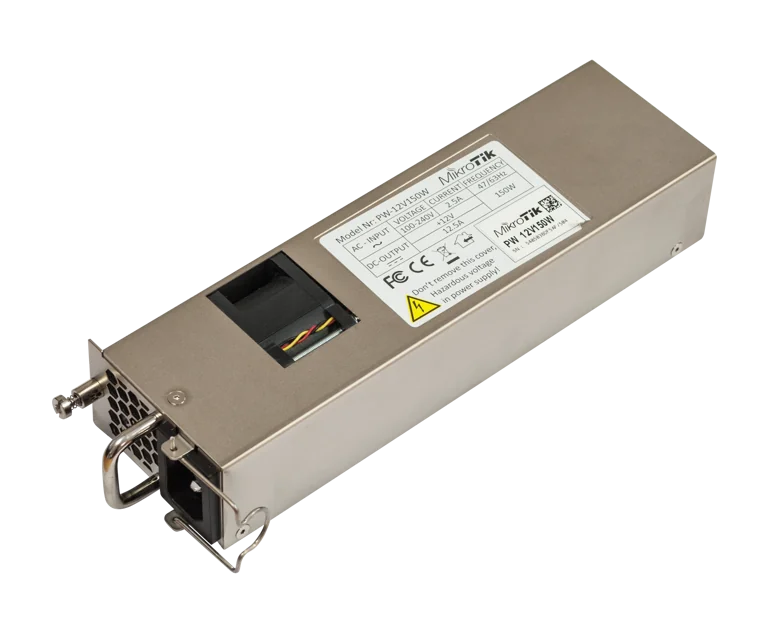
Buy MikroTik 12POW150 in Kenya, a 12V 150W hot-swap AC/DC power supply for CCR1072, CCR2216, CRS518 and CRS520 high-availability net