Who is this product best for?
- Home and small office routing
- Business internet edge routing
- ISP customer or branch deployments

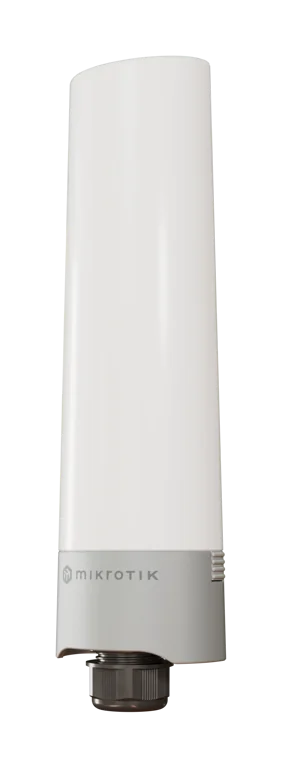
Works with compatible MikroTik RouterOS networks and standard Ethernet networking equipment. Confirm port, power and mounting requirements before purchase.
Check the product label or manufacturer datasheet for exact input voltage, PoE support and power adapter requirements.
The MikroTik GPeRx4, officially identified by product code GPER14i, is a rugged outdoor Gigabit Ethernet extender and PoE distribution device designed to turn one high-power PoE connection into three standard PoE-powered Ethernet connections. It is particularly useful for CCTV networks, outdoor Wi-Fi deployments, wireless ISPs, estates, farms, hotels, schools and other installations where several network devices need to be powered at a remote location without installing an AC-powered PoE switch. (Mikrotik)

MikroTik designed the GPeRx4 to accept 802.3bt high-power PoE on Ether1, while Ether2, Ether3 and Ether4 provide 802.3af/at PoE-out. This makes it possible to take a single high-power PoE source and distribute network connectivity and power to as many as three compatible cameras, wireless access points or other PoE devices. MikroTik specifically promotes it as a way to split a single 90W-class PoE source into several standard PoE connections. (Mikrotik)
The GPeRx4 also includes SwOS Lite management, providing useful professional networking features such as VLAN support, interface monitoring, traffic shaping, SNMP reporting and GPEN fault detection. Its IP68-rated enclosure provides strong resistance to water, dust, dirt and sand, making it particularly suitable for exposed outdoor installations. (Mikrotik)
A very important technical detail is that the GPeRx4 is not intended to operate exactly like a conventional four-port Ethernet switch. MikroTik states that the three output ports are isolated from one another and communicate through the first/uplink port. This architecture makes it particularly useful for independent endpoints such as cameras and access points.
MikroTik lists the GPeRx4 at a suggested international price of US$59. The final MikroTik GPeRx4 price in Kenya can vary according to availability, VAT, exchange rates and import costs, so customers should request the current local selling price before ordering.
For genuine MikroTik outdoor networking equipment, PoE solutions and professional technical guidance, customers can purchase through Mikrotik Kenya.
MikroTik GPeRx4 Detailed SpecificationsSpecificationDetailsProduct NameMikroTik GPeRx4Product CodeGPER14iProduct TypeGigabit Ethernet Extender / PoE SplitterEthernet Ports4 × 10/100/1000 MbpsGigabit EthernetYesPoE-In PortEther1PoE-In StandardIEEE 802.3btPoE-In Voltage48–57VPoE-Out PortsEther2, Ether3 and Ether4PoE-Out StandardIEEE 802.3af/atNumber of PoE Outputs3Maximum Total PoE-Out Current2AMax Per-Port Current Below 30V0.7AMax Per-Port Current Above 30V0.6AAlternative Power Input2-pin terminalTerminal Input Voltage24–57VDC-Out1 × DC1Max DC-Out Current Above 30V610mAOperating SystemSwOS LiteCPU200 MHzSwitch ChipMarvell 88E6341Storage16 KB FlashMaximum Consumption Without Loads4WMaximum Total Consumption115WOutdoor ProtectionIP68Dimensions281 × 76 × 70 mmOperating Temperature-40°C to +70°CSuggested PriceUS$59Included Hardware3 hose clampsMikroTik's current brochure confirms the four Gigabit Ethernet interfaces, 802.3bt input, three 802.3af/at outputs, 24–57V terminal input, 115W maximum total consumption and IP68 protection. (Mikrotik)
MikroTik GPeRx4 Price in KenyaBecause MikroTik networking products are imported, the Kenya price should not be treated as permanently fixed.
For the latest price, availability and compatibility information, contact Mikrotik Kenya.
What Is the MikroTik GPeRx4?The GPeRx4 is effectively a high-power PoE splitter, outdoor Gigabit Ethernet extender and managed network-edge device combined into one enclosure.
A simple deployment can look like:
High-Power PoE Switch → GPeRx4 → Camera + Camera + Wi-Fi Access Point
PortTypical FunctionEther1Uplink + 802.3bt PoE-inEther2Gigabit + 802.3af/at PoE-outEther3Gigabit + 802.3af/at PoE-outEther4Gigabit + 802.3af/at PoE-outMikroTik designed the product specifically so that one high-power connection can be used to add several remote devices without immediately upgrading or installing another powered switch. (Mikrotik)
Key Features of MikroTik GPeRx4Ether1 serves as the main uplink and receives IEEE 802.3bt PoE.
PoE-In FeatureSpecificationPortEther1PoE Standard802.3btInput Voltage48–57VHigh-Power InputYesNetwork DataGigabit802.3bt provides significantly more available power than conventional 802.3af PoE, which is important because the GPeRx4 may need to power several downstream endpoints simultaneously. (Mikrotik)
2. Three Standard PoE OutputsEther2 through Ether4 provide 802.3af/at PoE-out.
PortEthernetPoEEther2Gigabit802.3af/atEther3Gigabit802.3af/atEther4Gigabit802.3af/atThis makes the GPeRx4 particularly useful for powering:
IP cameras
Wireless access points
Outdoor Wi-Fi equipment
Network radios
Other compatible PoE endpoints
MikroTik describes the system as converting one high-power PoE connection into three standard PoE outputs.
3. Ideal for Three-Camera CCTV DeploymentsOne particularly attractive application is CCTV.
Instead of running three long Ethernet cables all the way from the main PoE switch, an installer can run one high-power connection to the GPeRx4 and then branch locally.
Main Network → GPeRx4 → Camera 1 + Camera 2 + Camera 3
EquipmentFunctionMain PoE++ SwitchProvides power and networkLong Ethernet RunFeeds remote pointGPeRx4Distributes network and PoECamera 1SurveillanceCamera 2SurveillanceCamera 3SurveillanceThe available power budget must still be checked before connecting all three devices.
4. Mixed CCTV and Wi-Fi DeploymentThe GPeRx4 does not need to power three identical devices.
A typical installation could instead be:
GPeRx4 PortConnected DeviceEther1Network uplinkEther2CCTV CameraEther3CCTV CameraEther4Wireless Access PointThis can be especially useful at:
Estate gates
Parking areas
Hotel compounds
School entrances
Farms
Warehouses
Remote security posts
One of the strongest selling points of the MikroTik GPeRx4 is its IP68 enclosure.
MikroTik specifically highlights protection from water, dust, dirt and sand. (Mikrotik)
This makes the device particularly suitable for Kenya's outdoor CCTV, farm, hospitality, WISP and estate networking environments.
6. Four Gigabit Ethernet PortsAll four ports operate at 10/100/1000 Mbps.
Ethernet SpecificationDetailsPorts4Fast EthernetSupportedGigabit EthernetSupportedMaximum Port Rate1 GbpsNumber of Powered Outputs3Gigabit Ethernet provides much greater bandwidth than 100 Mbps extenders, which is particularly valuable for HD/4K video surveillance and modern wireless access points. (Mikrotik)
7. SwOS Lite ManagementUnlike the basic GPeR, the GPeRx4 runs SwOS Lite.
SwOS Lite FeaturePurposeInterface MonitoringCheck port statusVLAN SupportSeparate trafficTraffic ShapingControl bandwidthSNMPRemote monitoringGPEN Fault DetectionTroubleshootingWeb InterfaceEasy administrationThese management capabilities provide better visibility into remote outdoor network infrastructure. (Mikrotik)
8. VLAN SupportVLANs are particularly useful when cameras, wireless access points and other endpoints should use different logical networks.
For example:
VLANApplicationVLAN 10CCTVVLAN 20Staff Wi-FiVLAN 30Guest Wi-FiVLAN 99Network managementThis can help enterprise and ISP administrators maintain more organized and secure network architectures.
9. SNMP MonitoringThe GPeRx4 supports SNMP reporting through SwOS Lite.
This means administrators can incorporate remote units into centralized monitoring platforms and observe the condition of network interfaces without physically visiting every outdoor installation. (Mikrotik)
This is particularly valuable for:
ISPs
Large CCTV installations
Hotels
Universities
Estates
Enterprise campuses
SwOS Lite also provides traffic shaping.
An administrator can use this capability to manage bandwidth at the network edge and prevent a particular connected endpoint from consuming inappropriate amounts of available capacity.
11. GPEN Fault DetectionThe GPeRx4 supports GPEN link-fault detection.
This provides additional troubleshooting capability when the device forms part of a longer MikroTik Ethernet distribution network.
Important: GPeRx4 Is Not a Normal 4-Port SwitchThis is one of the most important specifications customers should understand.
MikroTik states:
The ports are isolated and communicate only with the first port.
In practical terms, Ether2, Ether3 and Ether4 are designed primarily to communicate upstream through Ether1 rather than behaving like ordinary peer ports on a normal Ethernet switch.
Traffic DirectionExpected DesignEther2 → Ether1YesEther3 → Ether1YesEther4 → Ether1YesEther2 → Ether3Not standard switching behaviorEther3 → Ether4Not standard switching behaviorThis isolation can actually be beneficial for cameras and independent endpoints.
Alternative 2-Pin Power InputThe GPeRx4 does not have to receive all of its input power through PoE.
It also provides a 2-pin DC terminal.
Power MethodInput Voltage802.3bt PoE48–57V2-Pin Terminal24–57VThis provides useful deployment flexibility when a suitable local DC power supply is already available. (Mikrotik)
DC OutputMikroTik also lists a DC-out connection:
DC FeatureSpecificationDC-Out Ports1ConnectionDC1Current Above 30VUp to 610mAThis can provide additional powering flexibility for specific network configurations.
MikroTik GPeRx4 Power BudgetPower budgeting is critical.
MikroTik specifies:
Power CharacteristicValueDevice Consumption Without Attachments4WMaximum Total Consumption115WMaximum Total PoE-Out Current2APer-Port Limit Below 30V0.7APer-Port Limit Above 30V0.6ATherefore, simply having three PoE-out ports does not automatically mean three maximum-power PoE+ devices can always be connected.
The installer must calculate:
Input power available
Device's own consumption
PoE endpoint consumption
Cable losses
Per-port limits
Total current limit
Suppose you want to connect three devices:
DeviceApproximate RequirementCamera 112WCamera 212WAccess Point18WTotal Endpoint Load42WGPeRx4 Own ConsumptionApprox. 4WTotal Before Cable LossApprox. 46WSuch a deployment may fit comfortably within an appropriate high-power PoE source, subject to actual endpoint specifications and cable losses.
MikroTik GPeRx4 vs GPeRFeatureGPeRx4GPeREthernet Ports42Gigabit EthernetYesYesPoE Input802.3bt802.3af/at, 24–57VPoE Outputs3 × 802.3af/atPoE passthroughSwOS LiteYesNoVLANsYesNoSNMPYesNoIP RatingIP68IPX0 without caseMain FunctionBranch + power endpointsExtend Ethernet distanceSuggested PriceUS$59US$29The basic GPeR is better when extending one Ethernet path over a long distance.
The GPeRx4 is better when you arrive at a remote site and need to branch that connection to three powered endpoints.
MikroTik GPeRx4 vs GPEN21FeatureGPeRx4GPEN21Ethernet Ports42PoE Outputs31Fiber SFPNoYesSwOS LiteYesYesVLANYesYesSNMPYesYesOutdoor ProtectionIP68Indoor-orientedBest ApplicationOutdoor powered endpointsManaged fiber/GPEN edgeChoose GPeRx4 where outdoor multi-device PoE distribution is the priority.
Choose GPEN21 where fiber termination and managed subscriber networking are more important.
MikroTik GPeRx4 vs Outdoor PoE SwitchFeatureGPeRx4Conventional Outdoor PoE SwitchPowered Through PoEYesModel dependentSeparate AC SupplyNot necessarilyOften requiredPoE Outputs3Usually 4+IP68YesVariesSwOS LiteYesModel dependentOutput IsolationBuilt into designUsually configurableCompactExcellentUsually largerBest ForRemote 3-device pointLarger switching siteThe GPeRx4 can therefore be more practical where only a few devices are needed and delivering AC power to the site would be difficult.
Applications of MikroTik GPeRx4 in KenyaThe GPeRx4 is ideal for remote CCTV points requiring several cameras.
Applications include:
Parking lots
Estate gates
Farms
Schools
Hotels
Warehouses
Industrial compounds
Perimeter surveillance
A remote hotel area could use:
GPeRx4 → Outdoor AP + Camera + Camera
This can reduce both cable runs and local electrical infrastructure.
Estates and Apartment CompoundsPotential uses include:
Security gates
Visitor entrances
Parking areas
Clubhouses
Perimeter CCTV
Outdoor Wi-Fi
Farm installations can use the GPeRx4 for:
CCTV
Outdoor Wi-Fi
IoT gateways
Security systems
Remote offices
The IP68 protection is particularly valuable in these environments.
Schools and UniversitiesA campus deployment could support:
Outdoor Wi-Fi
CCTV cameras
Security gates
Sports grounds
Remote buildings
WISPs can use the GPeRx4 at remote locations where one high-power uplink must support several PoE endpoints.
Enterprise NetworksEnterprise applications can include:
Warehouses
Manufacturing plants
Logistics yards
Commercial campuses
Remote security locations
MikroTik's current specifications list three hose clamps as included parts. (Mikrotik)
Included ItemPurposeMikroTik GPeRx4Main deviceHose Clamp × 3MountingThe required PoE source or external DC power source should be selected according to the installation's power requirements.
Frequently Asked Questions About MikroTik GPeRx4The GPeRx4 is an outdoor four-port Gigabit Ethernet extender and PoE splitter designed to accept a high-power PoE connection and provide three powered downstream Ethernet connections.
Its hardware product code is GPER14i.
MikroTik's suggested international price is US$59. The Kenya price varies depending on VAT, exchange rates, availability and supplier costs.
It has four Gigabit Ethernet ports.
Ether1 is the default uplink and PoE-in port.
It provides three PoE-out ports: Ether2, Ether3 and Ether4.
The Ethernet input supports IEEE 802.3bt.
Ether2–Ether4 support IEEE 802.3af/at PoE-out.
Yes. MikroTik specifically designed it to take a high-power PoE source—marketed around a 90W PoE-out connection—and distribute power to several standard PoE endpoints. (
Possibly, but do not assume that automatically. You need to check the upstream supply, total current limits, cable losses and actual endpoint consumption. The unit has a maximum total PoE-out current of 2A.
Yes, provided their combined power consumption and PoE requirements fit within the available power budget.
Yes. A common setup could be two 802.3af/at cameras and one compatible access point.
Yes. All four Ethernet interfaces support Gigabit operation.
No. This is an important difference. MikroTik states that the output ports are isolated and communicate only with the first/uplink port.
The device is specifically designed with isolated output ports rather than conventional peer-to-peer switch behavior. Traffic is primarily directed toward Ether1.
Port isolation can help keep independent network endpoints separated while allowing each to communicate with the upstream network. This architecture is particularly useful for cameras and separately managed access points.
No. It runs SwOS Lite.
Yes. MikroTik describes SwOS Lite as providing web-based network management.
Yes. VLAN support is included in SwOS Lite.
Yes. SNMP reporting is supported.
Yes. Traffic shaping is listed as a SwOS Lite feature.
Yes. MikroTik includes GPEN link-fault detection.
The enclosure has an IP68 rating, providing strong protection against water, dust, dirt and sand when properly installed.
It is specifically designed as an outdoor-ready device. Installation should still follow MikroTik's mounting, cable-entry and electrical guidelines.
MikroTik specifies -40°C to +70°C.
The unit measures approximately 281 × 76 × 70 mm.
Approximately 4W without attached devices.
MikroTik specifies up to 115W including attached loads.
Yes. The device also offers a 2-pin terminal accepting 24–57V DC.
The published Ethernet PoE-in range is 48–57V. The broader 24–57V range applies to the separate 2-pin terminal, so 24V Ethernet PoE-in should not be assumed compatible.
Yes. The product specifications include one DC-out connection, with MikroTik specifying up to 610mA above 30V.
For certain three-device remote deployments, yes. However, it should not be treated as a direct replacement for a conventional switch because its downstream ports have a specialized isolated architecture.
Yes. It is particularly useful for remote camera clusters in estates, farms, hotels, schools, warehouses and commercial properties.
Yes. One device can serve combinations such as two cameras plus an outdoor access point.
Yes. IP68 protection and remote PoE distribution make it useful for CCTV, outdoor Wi-Fi and other networking equipment on large agricultural properties.
Yes. WISPs can use it where several powered Ethernet devices need to share one upstream high-power connection.
The standard GPeR has two Ethernet ports and is primarily designed to extend one Ethernet path, whereas GPeRx4 has four ports, three PoE outputs, SwOS Lite and IP68 environmental protection.
You can source the GPeRx4 and receive professional PoE, CCTV, VLAN and outdoor-network design assistance from Mikrotik Kenya.
MikroTik GPeRx4 Video Guide
Watch the video: MikroTik GPeRx4 Networking Guide
The MikroTik GPeRx4 provides a particularly effective solution when several network devices need to be installed at the same remote outdoor location. Instead of installing a conventional PoE switch and running AC electrical power to that point, an installer can deliver one sufficiently powerful 802.3bt PoE connection and use the GPeRx4 to distribute both Gigabit Ethernet connectivity and standards-based PoE to three downstream endpoints. This can simplify CCTV poles, estate gates, hotel compounds, outdoor Wi-Fi networks and remote security installations considerably.
Its IP68 enclosure and SwOS Lite management distinguish it from simple passive Ethernet splitters. Environmental protection makes the device appropriate for exposed installations, while VLAN support, SNMP, traffic shaping and interface monitoring give administrators visibility and control over a remote network point. The isolated downstream architecture is also important: each output endpoint primarily communicates with the upstream port rather than behaving like a conventional four-port switch, which can be desirable in deployments where cameras or access points should remain separated. (Mikrotik)
For networks in Kenya, careful power-budget planning is essential when taking advantage of the GPeRx4's three PoE outputs. The 802.3bt source must provide sufficient power for the GPeRx4 itself, the connected cameras or access points and any losses along the Ethernet cabling. When that power budget is properly calculated and the network topology suits its isolated-port design, the GPeRx4 offers an efficient way to create a durable, remotely powered Gigabit network distribution point without installing unnecessary electrical infrastructure.
The MikroTik GPeRx4 is a highly capable outdoor PoE distribution and Gigabit Ethernet extension solution for networks that need to power several devices from a single high-power uplink. Its combination of four Gigabit Ethernet ports, 802.3bt PoE-in, three 802.3af/at PoE outputs, SwOS Lite management and IP68 environmental protection makes it particularly well suited to CCTV, outdoor Wi-Fi, WISP, estate, hotel, school, farm and enterprise installations.
Its ability to replace a separate local PoE switch in certain remote installations can reduce cabling and power-infrastructure requirements, while VLAN, SNMP, traffic-shaping and fault-detection capabilities provide considerably more control than a basic PoE splitter. Buyers should nevertheless account for total PoE power, output-port isolation and network topology before installation.
Whether you need the GPeRx4 for three IP cameras, cameras plus a wireless access point, an outdoor ISP node, hotel Wi-Fi, an estate security network, farm connectivity or a remote enterprise installation, Mikrotik Kenya provides genuine MikroTik networking products, PoE solutions, professional product-selection guidance and network-deployment support for projects across Kenya.
Reviews are not available yet for this product.
GPeRx4 is currently listed as available. Stock can change, so confirm availability before placing a large order.
The current listed price is KSh 10,000.00. Prices are generated from the product catalogue and may change when inventory is updated.
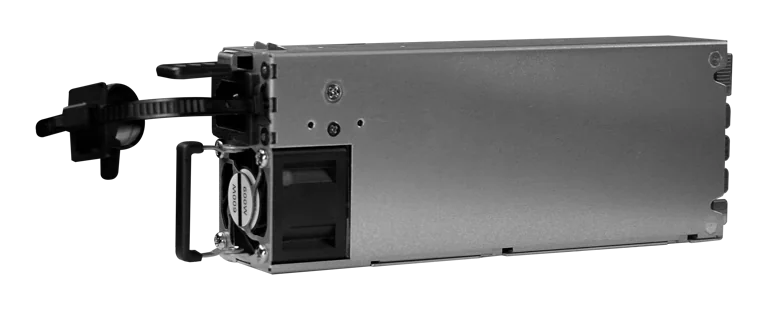
Buy MikroTik G1483-0600WNB in Kenya, a 600W hot-swappable 54.5V 10.35A power supply for the CRS320-8P-8B-4S+RM PoE++ switch, support
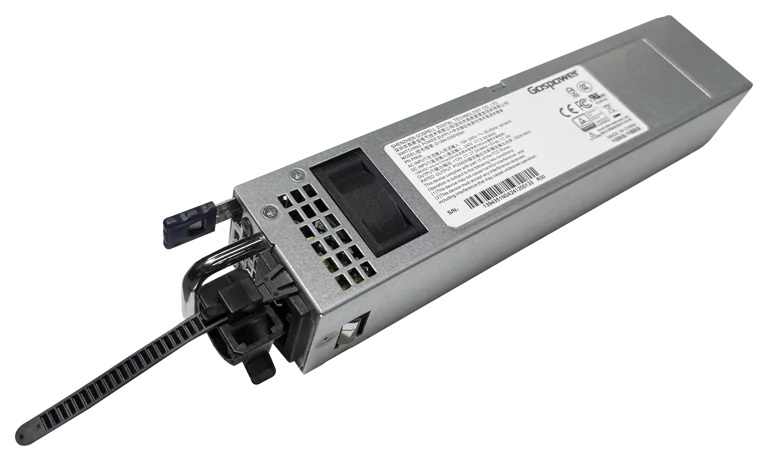
Buy MikroTik G1394-0350WNA in Kenya, a 350W hot-swappable 12V DC 27.5A AC power supply designed for the MikroTik CRS804 DDQ 400G swi
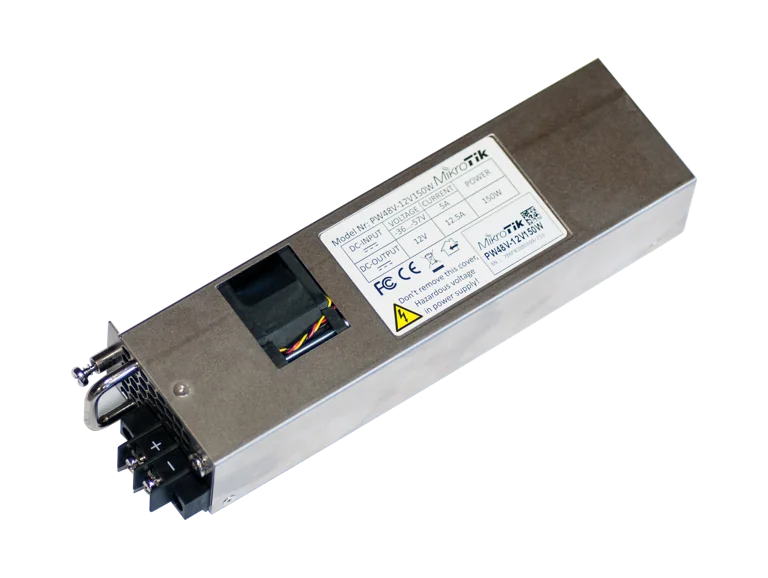
Buy MikroTik PW48V-12V150W in Kenya, a 150W hot-swappable -48V DC telecom power supply for CCR1072, CCR2216, CRS518 and CRS520 high-
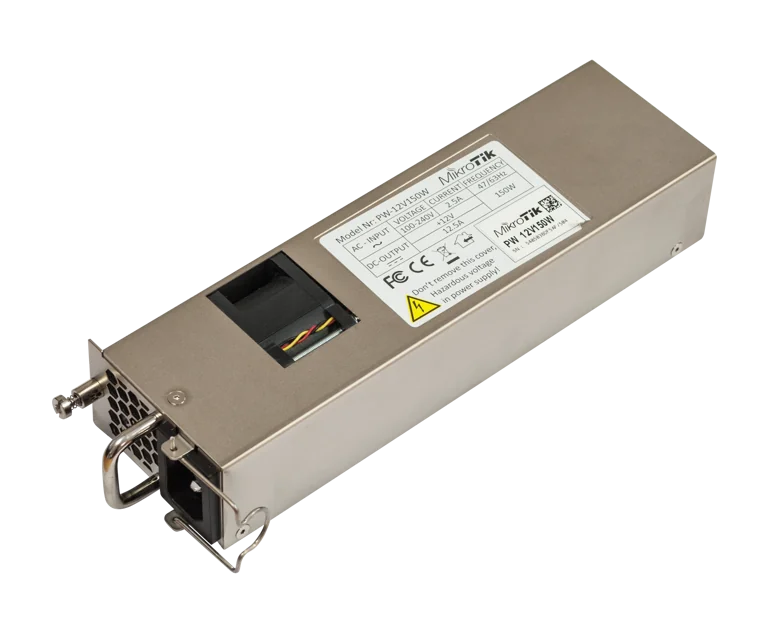
Buy MikroTik 12POW150 in Kenya, a 12V 150W hot-swap AC/DC power supply for CCR1072, CCR2216, CRS518 and CRS520 high-availability net