Who is this product best for?
- Home and small office routing
- Business internet edge routing
- ISP customer or branch deployments

Works with compatible MikroTik RouterOS networks and standard Ethernet networking equipment. Confirm port, power and mounting requirements before purchase.
Check the product label or manufacturer datasheet for exact input voltage, PoE support and power adapter requirements.
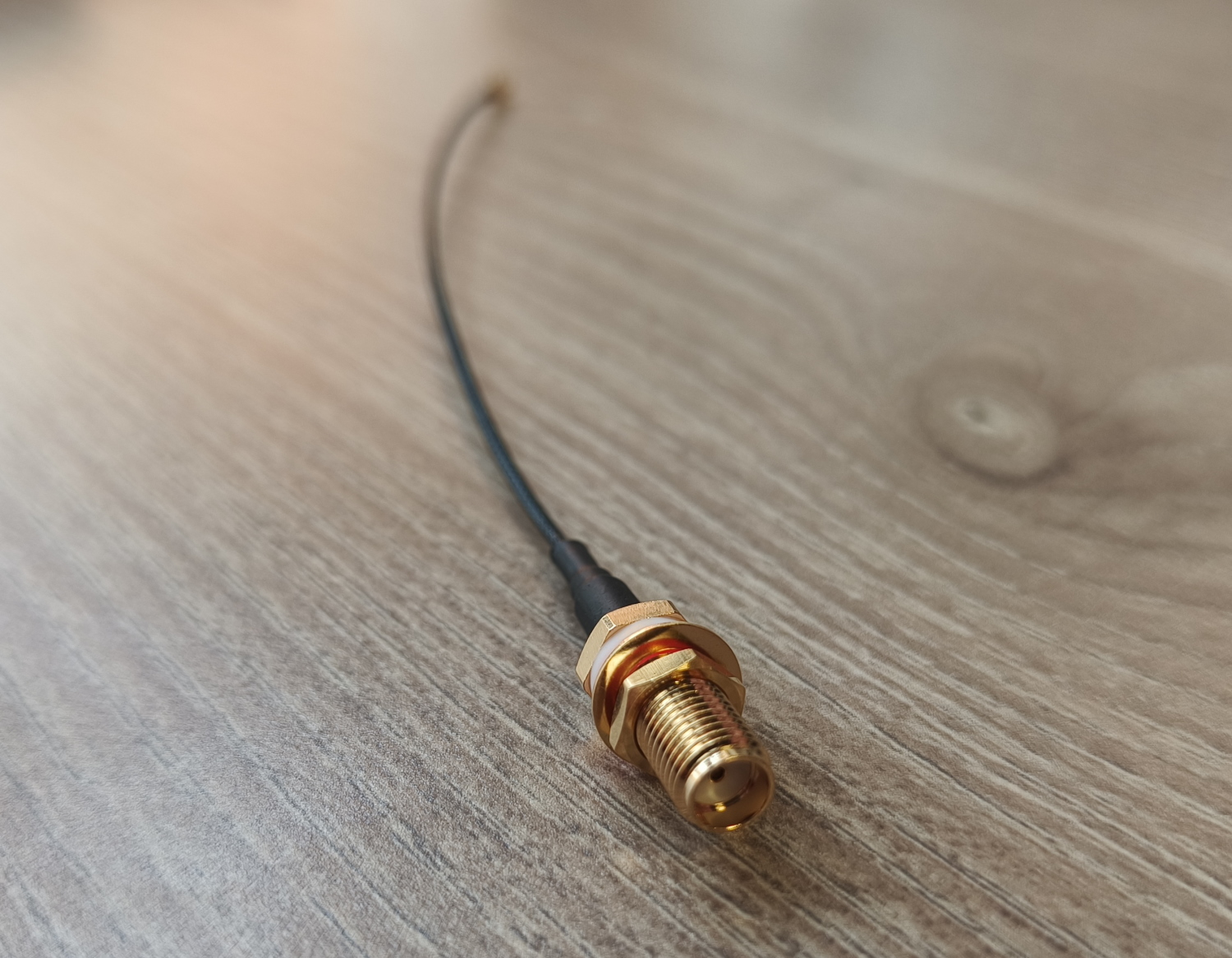
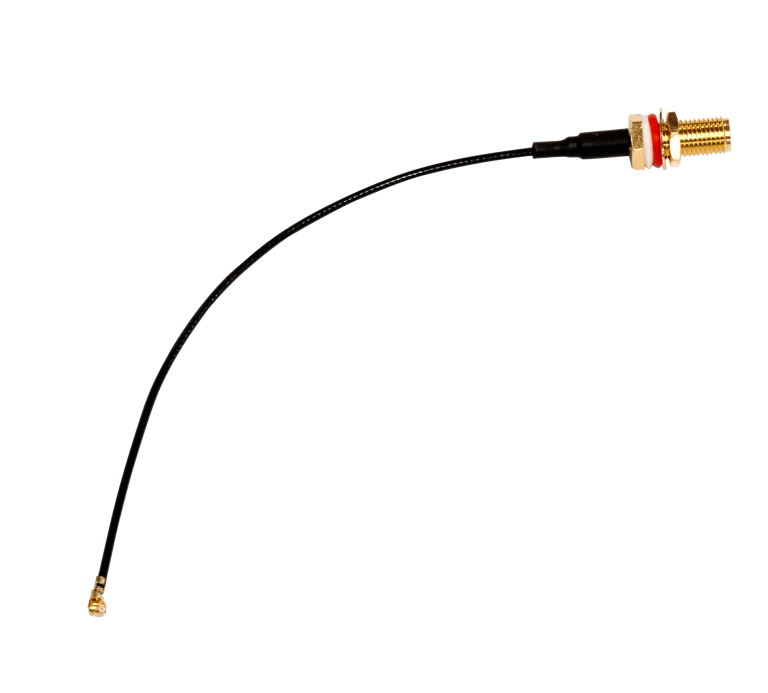
The MikroTik ACSMAUFL is a compact RF pigtail cable designed to connect a modem or wireless card with a U.FL connector to an external antenna using an SMA female connector. MikroTik specifically positions it for LTE, LoRa and wireless-card applications, making it useful in RouterBOARD and IoT installations that require an external antenna.
The cable is especially relevant to MikroTik devices such as wAP R, LtAP mini and compatible R11e-series LTE cards. MikroTik also lists accessories such as SMASMA and mANT LTE 5o alongside ACSMAUFL, allowing installers to build a complete external-antenna connection.
MikroTik currently lists ACSMAUFL at an official suggested price of US$9. A dependable current Kenyan retail price for the exact ACSMAUFL was not confirmed during the latest check, so buyers should request the current Kenya quotation rather than rely on an estimated conversion.
MikroTik's official specification identifies ACSMAUFL as a U.FL-to-SMA female pigtail intended to connect an LTE, LoRa or wireless modem/card to an external antenna. It also lists an MTBF of approximately 100,000 hours at 25°C. (mikrotik.com)
What Is MikroTik ACSMAUFL?The ACSMAUFL is a radio-frequency pigtail, not an Ethernet, USB or power cable.
A typical installation looks like:
LTE/LoRa/Wireless card → U.FL → ACSMAUFL → SMA female → External antenna
The U.FL connector attaches to the small RF socket on the modem or radio card. The SMA female bulkhead connector provides an accessible external antenna point.
This arrangement is useful where a modem is located inside a router enclosure but the antenna needs to be mounted outside the enclosure or in a better signal location.
Key Features of MikroTik ACSMAUFLThe primary function of ACSMAUFL is converting a small U.FL modem connector into a more practical SMA female external antenna interface. (mikrotik.com)
This is useful because U.FL connectors are typically located directly on LTE, LoRa or wireless cards and are too small for repeatedly connecting external antennas directly.
MikroTik specifically lists LTE equipment among the intended uses of ACSMAUFL. (mikrotik.com)
It can be useful when:
An LTE modem is installed inside a MikroTik enclosure.
The internal antenna position gives poor reception.
A higher-gain external LTE antenna is required.
The antenna needs to be positioned outside a cabinet.
ACSMAUFL is also designed for compatible LoRa radio cards. (mikrotik.com)
This makes it relevant for:
IoT gateways
Smart metering
Agricultural sensors
Industrial monitoring
Remote telemetry
Environmental monitoring
MikroTik also describes ACSMAUFL for compatible wireless cards with U.FL connectors. (mikrotik.com)
The important requirement is that the radio card actually uses U.FL. MMCX-based cards require a different pigtail such as ACMMCXRPSMA.
MikroTik's current product page lists wAP R, R11e-LTE, R11e-LTE-US, LtAP mini, LtAP mini LTE kits, mANT LTE 5o and SMASMA among related products. (mikrotik.com)
5. Useful with wAP RThe wAP R is one of the most important ACSMAUFL applications.
MikroTik's own accessory guide shows ACSMAUFL cables connecting an R11e-LTE card inside a wAP R to external SMA antenna connectors.
This allows installers to use an external LTE antenna where better signal reception or antenna positioning is required.
6. Useful with LtAP miniMikroTik lists several LtAP mini models as related products for ACSMAUFL. (mikrotik.com)
These devices may be deployed in:
Vehicles
Remote monitoring
Mobile internet
GPS and telemetry
Industrial IoT
Fleet connectivity
ACSMAUFL gives installers a practical route from the internal modem connector to an external antenna.
7. Passive AccessoryACSMAUFL requires no electricity.
It has:
No PoE
No DC input
No USB power
No CPU
No RouterOS
No IP address
No firmware
It only carries radio-frequency signals between the modem and antenna connection.
8. Does Not Amplify LTE or LoRa SignalsACSMAUFL is not an amplifier.
It does not directly increase:
LTE transmit power
LoRa transmit power
Antenna gain
Cellular speed
Wi-Fi power
Receiver sensitivity
Its value is allowing the correct external antenna to be connected to the modem.
Common Applications of MikroTik ACSMAUFL in KenyaACSMAUFL is useful for LTE installations where a MikroTik router needs an external antenna to improve antenna positioning. This can be particularly useful in rural, industrial or indoor locations where the router itself cannot be placed where cellular reception is strongest.
It is also useful for IoT and LoRa deployments, including remote sensors, smart metering, agriculture, telemetry and industrial monitoring. By exposing an SMA female connection, installers can use an appropriate external antenna rather than relying on a small internal antenna.
For vehicle, fleet and mobile installations using compatible LtAP mini hardware, ACSMAUFL can also make it easier to place LTE antennas externally while keeping the router securely mounted inside the vehicle or enclosure.
MikroTik ACSMAUFL Price in KenyaMikroTik currently lists ACSMAUFL at an official suggested price of US$9. (mikrotik.com)
A reliable current Kenya-specific retail listing for the exact ACSMAUFL was not confirmed during this check. Because the accessory is inexpensive internationally but local prices can vary significantly with stock, VAT and sourcing, request the latest quotation before ordering.
Pricing InformationDetailsOfficial MikroTik Suggested PriceUS$9Kenya Retail PriceRequest current quotationProduct CodeACSMAUFLU.FL ConnectorIncludedSMA Female ConnectorIncludedAntenna IncludedNoLTE Modem IncludedNoRecommended Buying CheckConfirm U.FL modem connector and SMA antenna compatibilityACSMAUFL vs ACMMCXRPSMA vs SMASMAFeatureACSMAUFLACMMCXRPSMASMASMAMain PurposeU.FL to external SMA femaleMMCX to RPSMA pigtailSMA male-to-male extensionRadio-Side ConnectorU.FLMMCXSMA maleExternal-Side ConnectorSMA femaleRPSMASMA maleTypical ApplicationLTE, LoRa and U.FL wireless cardsBaseBox / MMCX wireless cardsExtending an SMA antenna connectionInternal PigtailYesYesNo, mainly extension cableExternal Antenna UseYesYesYesPower RequiredNoNoNoSuggested PriceUS$9US$9US$9MikroTik currently lists ACSMAUFL and SMASMA at US$9 each in its accessories catalogue. (mikrotik.com)
Why Choose MikroTik ACSMAUFL?ACSMAUFL is useful when the modem or radio uses a U.FL connection but the installation requires a standard SMA external antenna interface.
Its main advantages include:
U.FL to SMA female conversion
Designed for LTE cards
Suitable for LoRa cards
Suitable for compatible wireless cards
Compatible with wAP R installations
Compatible with LtAP mini deployments
Works with suitable external SMA antennas
Useful with mANT LTE 5o
No power required
No configuration required
Genuine MikroTik accessory
Current official MikroTik product
The MikroTik ACSMAUFL is a U.FL-to-SMA female RF pigtail designed to connect LTE, LoRa or compatible wireless cards to an external antenna. (mikrotik.com)
The official product code is ACSMAUFL. (mikrotik.com)
One end uses U.FL, while the external side uses an SMA female connector. (mikrotik.com)
MikroTik currently lists it at a suggested price of US$9. (mikrotik.com)
A dependable current Kenyan retail price for the exact model was not confirmed. Request the latest local quotation because stock, exchange rates and VAT can affect the selling price.
Yes. LTE modems are one of its primary intended applications. (mikrotik.com)
Yes. MikroTik specifically mentions LoRa cards among supported applications. (mikrotik.com)
Yes, if the wireless card uses a compatible U.FL antenna connector and the external antenna uses the correct SMA interface.
Yes. MikroTik lists wAP R as an official related product. (mikrotik.com)
MikroTik's accessory guide shows ACSMAUFL cables connecting an internal R11e-LTE modem to external SMA antenna interfaces.
Yes. R11e-LTE is an official related product. (mikrotik.com)
Yes. MikroTik also lists R11e-LTE-US. (mikrotik.com)
Yes. LtAP mini is among the officially related products. (mikrotik.com)
Yes. MikroTik lists LtAP mini LTE kit as a related product. (mikrotik.com)
Yes. LtAP mini 4G kit is also listed among related products. (mikrotik.com)
ACSMAUFL can form part of an installation using the mANT LTE 5o, which MikroTik lists as a related antenna product. (mikrotik.com)
The mANT LTE 5o is an external MikroTik LTE antenna with two SMA connectors, currently listed at US$19. (mikrotik.com)
Yes, where the LTE modem has two U.FL antenna connectors and the external antenna system uses two SMA connections. This is a common arrangement for LTE MIMO systems.
Many LTE modems use two antenna chains for diversity or MIMO. Each chain requires its own RF connection.
No. U.FL and MMCX are completely different connector types.
No, not if the radio has a U.FL connector. ACMMCXRPSMA is intended for MMCX-to-RPSMA applications.
No. SMA and reverse-polarity SMA use different centre-contact arrangements.
Always confirm the exact antenna connector before ordering.
Yes, where the antenna has the correct mating SMA connector.
Yes. MikroTik lists SMASMA, a 1 m SMA male-to-male cable, as a related accessory. )
ACSMAUFL can bring the modem connection to an SMA bulkhead, while SMASMA can extend that external SMA connection toward a suitably positioned antenna.
No. It does not amplify the signal.
Its benefit is allowing an external antenna to be installed where it can potentially receive a better cellular signal.
Yes, depending on antenna gain, frequency support, placement, tower direction, cable loss and local network conditions.
ACSMAUFL simply provides the connection.
No.
Not directly.
A better antenna installation can sometimes improve LTE signal quality and throughput, but ACSMAUFL itself does not increase modem speed.
Not by itself. It allows a suitable external LoRa antenna to be connected, which may improve an installation depending on antenna selection and positioning.
No. It is passive.
No.
No.
No.
No.
No.
No.
No. WinBox configures the MikroTik router or modem interface, not the pigtail.
No. It is a cable used to connect a radio or modem to an antenna.
No.
No.
No. Accessories such as SMASMA are purchased separately where required.
MikroTik does not list the pigtail itself as a waterproof enclosure.
When used outdoors, the connector junction and surrounding enclosure must be protected appropriately.
Normally it should remain inside the router or protected enclosure. U.FL connectors are small and delicate.
Yes. U.FL connectors are much smaller and more delicate than SMA connectors. They should be connected carefully and not repeatedly disconnected unnecessarily.
Align it directly over the modem socket and press it down evenly. Avoid pushing at an angle or twisting excessively.
Avoid pulling on the cable itself because this can damage the U.FL termination.
Gentle routing bends are acceptable, but avoid sharp kinks or crushing the RF cable.
Yes, using an appropriate SMA cable such as SMASMA or another suitable low-loss RF cable.
However, additional cable length creates more signal loss.
Yes. Keeping RF cable runs reasonably short helps reduce attenuation.
Yes. It can be useful in compatible LtAP mini or similar mobile installations where antennas are mounted outside the vehicle.
Yes, as part of a compatible LTE or IoT installation.
Yes. MikroTik explicitly supports LTE and LoRa applications, making it suitable for industrial telemetry and monitoring systems.
Yes, where a compatible LTE or LoRa modem uses U.FL and needs an external SMA antenna.
Yes. It can form part of agricultural IoT, remote monitoring, LTE connectivity or LoRa sensor installations.
Yes, where a MikroTik LTE router provides cellular connectivity to a remote CCTV site and requires an external antenna.
Yes. External LTE antennas are often useful where cellular coverage is weak or where better antenna placement is needed.
Compatibility depends on the modem, antenna and operating frequencies rather than the product name alone. For a 5G installation, verify that the complete RF chain is appropriate for the required bands.
No. The antenna must support the frequencies used by the modem and have the correct mating SMA connector.
Confirm:
The modem uses U.FL.
The antenna connection requires SMA female at the equipment side.
The antenna supports the required LTE, LoRa or wireless frequencies.
You know how many antenna chains the modem requires.
MikroTik lists approximately 100,000 hours at 25°C.
Yes. It remains listed in MikroTik's current accessories and LTE/5G product ranges at US$9.
You can source ACSMAUFL from MikroTik networking suppliers in Kenya. Confirm the exact ACSMAUFL U.FL-to-SMA female product before ordering, especially because several MikroTik antenna pigtails use similar-looking connectors.
Installing MikroTik ACSMAUFLInstallation begins by opening the compatible MikroTik enclosure and locating the U.FL antenna connector on the LTE, LoRa or wireless card. The U.FL end of ACSMAUFL should be aligned carefully and pressed straight onto the modem connector. Because U.FL connectors are very small, excessive force or sideways pressure should be avoided.
The SMA female bulkhead side is then positioned in the appropriate enclosure opening and secured so that the external antenna can be connected without placing mechanical stress on the internal modem. In dual-chain LTE installations, two ACSMAUFL cables may be needed to connect both antenna interfaces.
After the external antenna is installed, cable routing should be checked for sharp bends, excessive tension and unnecessary RF cable length. The modem, RouterOS configuration and external antenna determine the actual network performance; ACSMAUFL simply provides the reliable physical RF connection between them.
The MikroTik ACSMAUFL is a practical RF pigtail for converting the tiny U.FL antenna connection found on LTE, LoRa and compatible wireless cards into an external SMA female interface. It is particularly useful for MikroTik wAP R, LtAP mini and R11e-LTE installations where an external antenna is required.
Its passive design means there is no power, software or configuration to manage. By exposing a standard SMA antenna connection, ACSMAUFL makes it easier to deploy external LTE or LoRa antennas in rural connectivity, IoT, telemetry, vehicle, CCTV and industrial networking applications.
MikroTik currently lists ACSMAUFL at a suggested price of US$9. For the latest MikroTik ACSMAUFL price in Kenya, LTE antenna pigtails, SMA cables, mANT LTE antennas and MikroTik cellular networking accessories, visit Mikrotik Kenya for current pricing and availability.
Reviews are not available yet for this product.
ACSMAUFL is currently listed as available. Stock can change, so confirm availability before placing a large order.
The current listed price is KSh 2,500.00. Prices are generated from the product catalogue and may change when inventory is updated.
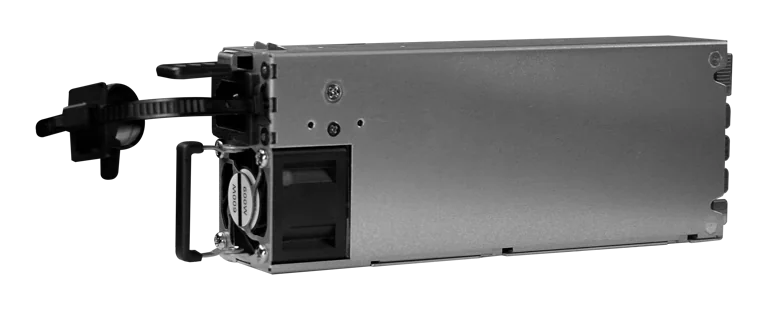
Buy MikroTik G1483-0600WNB in Kenya, a 600W hot-swappable 54.5V 10.35A power supply for the CRS320-8P-8B-4S+RM PoE++ switch, support
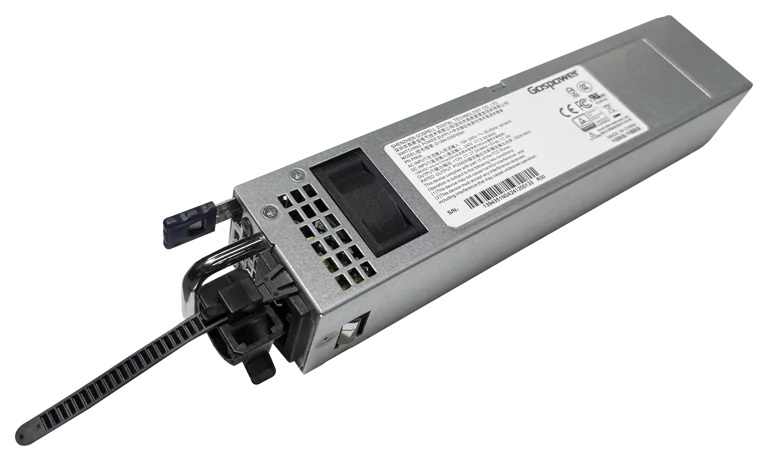
Buy MikroTik G1394-0350WNA in Kenya, a 350W hot-swappable 12V DC 27.5A AC power supply designed for the MikroTik CRS804 DDQ 400G swi
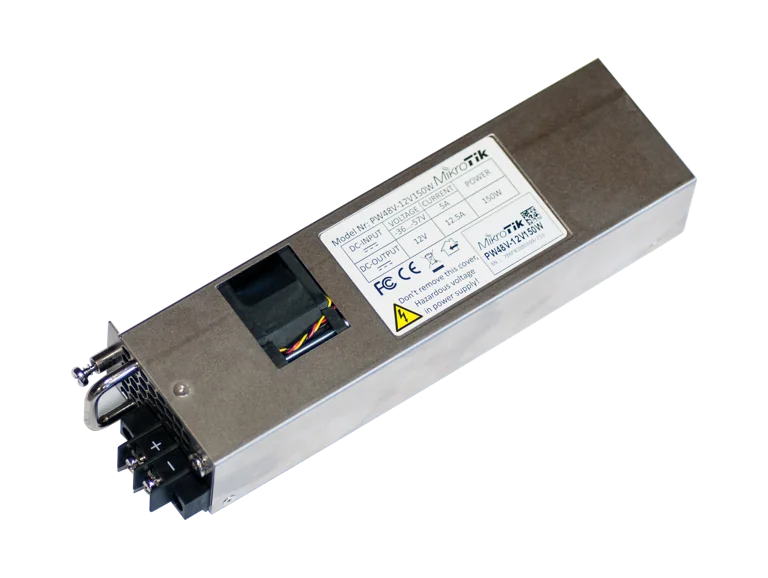
Buy MikroTik PW48V-12V150W in Kenya, a 150W hot-swappable -48V DC telecom power supply for CCR1072, CCR2216, CRS518 and CRS520 high-
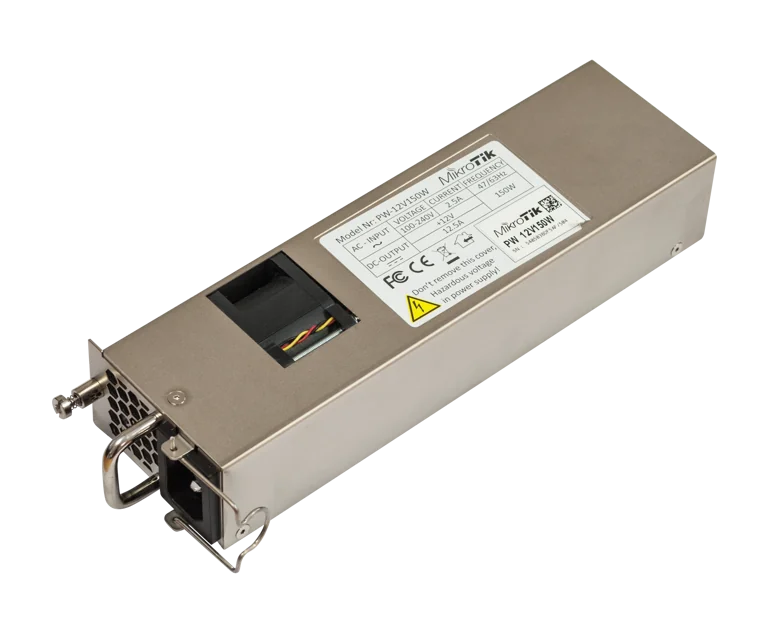
Buy MikroTik 12POW150 in Kenya, a 12V 150W hot-swap AC/DC power supply for CCR1072, CCR2216, CRS518 and CRS520 high-availability net