Who is this product best for?
- Home and small office routing
- Business internet edge routing
- ISP customer or branch deployments

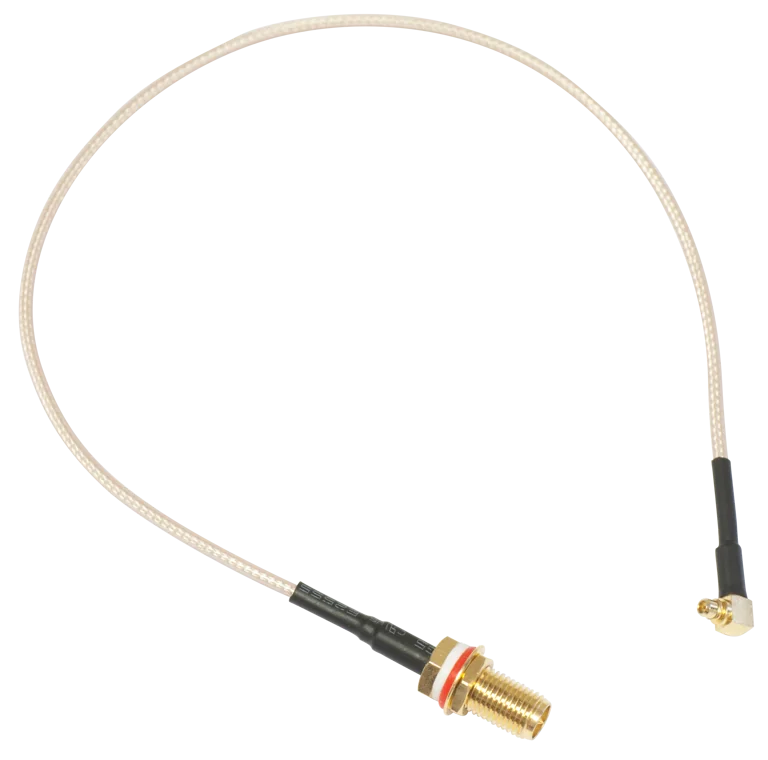
Works with compatible MikroTik RouterOS networks and standard Ethernet networking equipment. Confirm port, power and mounting requirements before purchase.
Check the product label or manufacturer datasheet for exact input voltage, PoE support and power adapter requirements.

The MikroTik ACMMCXRPSMA is a compact MMCX-to-RPSMA RF pigtail cable designed to connect compatible MikroTik wireless cards and radio interfaces to external RPSMA antenna connections. MikroTik originally designed it particularly for adding a second wireless interface to products such as BaseBox2 and BaseBox5. (mikrotik.com)
The cable measures 260 mm, or approximately 26 cm, making it short enough to minimize unnecessary internal cable length while still giving installers sufficient flexibility when routing between an internal MMCX connector and an enclosure-mounted RPSMA connection. (mikrotik.com)
MikroTik currently lists the ACMMCXRPSMA at a suggested manufacturer price of US$9, and it remains in the current MikroTik accessories range. (mikrotik.com)
MikroTik's official specification confirms the 260 mm cable length, MMCX-to-RPSMA design, US$9 suggested price and approximately 100,000-hour MTBF at 25°C. (mikrotik.com)
What Is MikroTik ACMMCXRPSMA?The ACMMCXRPSMA is a radio-frequency pigtail, not an Ethernet cable or power cable.
A typical connection looks like:
Wireless card MMCX connector → ACMMCXRPSMA → RPSMA external antenna connector
It is especially useful when a MikroTik device contains an internal miniPCI or miniPCIe wireless card but the installer wants to expose its antenna connection outside the enclosure.
MikroTik's current compatibility list includes both older and newer wireless hardware, including R11e-series cards, RB912 boards, BaseBox products, L11UG-5HaxD and L23UGSR-5HaxD2HaxD.
Key Features of MikroTik ACMMCXRPSMAThe main purpose of ACMMCXRPSMA is to convert an internal MMCX RF interface into an accessible RPSMA connection.
This makes it suitable where:
The wireless card has MMCX connectors.
The antenna system uses RPSMA.
The radio sits inside an enclosure.
An external antenna connection needs to be brought through the enclosure.
The cable measures 260 mm. (mikrotik.com)
This relatively short length is useful in radio enclosures because excessive RF cable length can introduce unnecessary attenuation.
MikroTik specifically describes the pigtail as suitable for adding a second wireless interface to BaseBox2 or BaseBox5. (mikrotik.com)
Historically, MikroTik demonstrated an example in which a second miniPCIe wireless card was installed inside a BaseBox and connected through ACMMCXRPSMA cables, allowing the device to support multiple wireless bands. (device.report)
A current 2026 MikroTik catalogue describes ACMMCXRPSMA as compatible with most MikroTik miniPCI and miniPCIe wireless cards that use the appropriate MMCX connector. (Ring Ring Energy)
Compatibility should still be verified because some newer cards use different connectors such as U.FL.
MikroTik's current ACMMCXRPSMA product page lists these devices and cards among its related products.
5. Useful for Dual-Band BaseBox ConfigurationsOne of the classic applications of ACMMCXRPSMA is adding another wireless card to a BaseBox.
For example, MikroTik previously demonstrated:
BaseBox2 + R11e-5HnD + two ACMMCXRPSMA pigtails
to create a dual-band outdoor access point capable of operating on both 2.4 GHz and 5 GHz. (device.report)
The exact combination should always be checked against current RouterOS, radio-card and regulatory compatibility.
6. Compact Installation Inside EnclosuresThe 26 cm cable is compact enough for routing inside wireless enclosures without creating excessive cable loops.
Good internal cable management helps avoid:
Sharp bends
Connector strain
Cable pinching
Contact with inappropriate components
Difficult enclosure closing
ACMMCXRPSMA requires no electrical power.
It has:
No PoE
No DC input
No CPU
No RouterOS
No firmware
No IP address
It simply carries RF signals between the connected wireless card and antenna interface.
8. Does Not Increase Antenna GainThe pigtail does not itself increase:
Antenna gain
Radio transmit power
Receiver sensitivity
Wi-Fi speed
Wireless range
Its role is to provide the physical RF connection.
The quality of the complete wireless link depends on the radio, antenna, frequency, cable loss, connector condition, antenna alignment and environmental conditions.
Common Applications in KenyaThe ACMMCXRPSMA is particularly useful for WISP installations, outdoor wireless access points, custom RouterBOARD deployments and legacy BaseBox installations where an internal MMCX wireless interface needs to connect to an external RPSMA antenna.
It can also be used in campus networks, CCTV wireless backhaul, rural broadband installations, hotels, farms and enterprise wireless projects where compatible MikroTik radio cards and external antennas are deployed.
For installers repairing or upgrading older BaseBox and RouterBOARD equipment, ACMMCXRPSMA can also be useful as a replacement pigtail where the original connector cable has been damaged.
MikroTik ACMMCXRPSMA Price in KenyaMikroTik currently lists the ACMMCXRPSMA at an official suggested price of US$9. (mikrotik.com)
Current Kenyan listings vary significantly. One local retailer lists the 0.26 m ACMMCXRPSMA at approximately KSh 893.55, while another Kenya retailer lists the accessory at KSh 3,600. Because of that wide variation, it is better to confirm stock, authenticity and VAT status before purchase. (adishnetservices.com)
Pricing InformationDetailsOfficial MikroTik Suggested PriceUS$9Kenya Listing ObservedApprox. KSh 894Alternative Kenya Listing ObservedApprox. KSh 3,600Recommended Buying ApproachRequest current quotationProduct Code to ConfirmACMMCXRPSMACable Length260 mmWireless Card IncludedNoAntenna IncludedNoThe large difference between Kenyan listings means price alone should not be used to identify the product. Confirm the exact ACMMCXRPSMA product code and connector arrangement.
ACMMCXRPSMA vs Flex-guide vs ACSMAUFLFeatureACMMCXRPSMAFlex-guideACSMAUFLMain PurposeInternal MMCX to external RPSMARPSMA-to-RPSMA RF extensionU.FL to SMA female pigtailRadio-Side ConnectorMMCXRPSMAU.FLAntenna-Side ConnectorRPSMARPSMASMA femaleCable Length260 mm500 mmShort pigtailTypical UseWireless cards / BaseBox expansionExternal antenna cable extensionLTE, LoRa and U.FL radio cardsPower RequiredNoNoNoSuggested PriceUS$9US$9US$9Best Selection FactorInternal radio connector is MMCXBoth ends need RPSMAInternal radio connector is U.FLMikroTik currently lists all three accessories at US$9, but they serve different connector types and should not be treated as interchangeable. (mikrotik.com)
Why Choose MikroTik ACMMCXRPSMA?The ACMMCXRPSMA is useful when you specifically need to connect an MMCX wireless interface to an RPSMA antenna connection.
Key advantages include:
Genuine MikroTik RF accessory
MMCX-to-RPSMA conversion
Compact 260 mm length
Designed for BaseBox expansion
Supports compatible miniPCI and miniPCIe cards
Useful for second wireless-interface installations
Easy to route inside enclosures
No configuration required
No power required
Current MikroTik accessory
The MikroTik ACMMCXRPSMA is a 260 mm RF pigtail cable that converts an MMCX antenna connection into RPSMA.
The product code is ACMMCXRPSMA.
The product name reflects its connector combination: MMCX to RPSMA.
The cable is 260 mm, equivalent to approximately 26 cm.
MikroTik currently lists it at a suggested price of US$9.
Current Kenyan listings vary. Prices observed during the latest check ranged from approximately KSh 894 to KSh 3,600. Confirm the current selling price and exact product code before buying.
One end uses MMCX, while the other uses RPSMA.
No. MMCX and U.FL are different RF connectors.
A pigtail designed for MMCX will not directly fit a U.FL socket.
No. Reverse-polarity SMA and standard SMA differ in their centre-contact arrangement.
Always confirm the antenna connector before ordering.
MikroTik specifically designed it for situations such as adding a second wireless interface to BaseBox2 or BaseBox5.
Yes. BaseBox2 is one of the main devices MikroTik mentions for this accessory.
Yes. BaseBox5 is also officially listed.
Yes, where the MikroTik device supports an additional compatible wireless interface.
The pigtail provides the antenna connection; it does not itself add a radio.
No. The wireless card is separate.
Normally a two-chain radio requires two RF connections, so two pigtails may be required if both MMCX chains need external RPSMA connections.
The exact requirement depends on the card.
Yes. MikroTik lists R11e-5HnD as a related product.
Yes. R11e-2HPnD is also officially listed.
Yes. MikroTik lists R11e-5HacD among the related wireless cards.
MikroTik's current product page lists R52Hn, R52nM, R5SHPn and R2SHPn among related products.
MikroTik currently lists L11UG-5HaxD among the related products for ACMMCXRPSMA.
It is also listed as a related product on MikroTik's current ACMMCXRPSMA page.
Not automatically.
The wireless card must have the appropriate compatible MMCX connector. A 2026 MikroTik catalogue describes ACMMCXRPSMA as compatible with most MikroTik miniPCI and miniPCIe wireless cards using the appropriate interface.
No. Use the appropriate U.FL pigtail instead.
The RPSMA end can connect to an antenna or antenna cable with the correct mating RPSMA interface.
Potentially, if the RPSMA connector genders and polarity match correctly. This can be useful when extending from an internal MMCX interface to an external antenna, but every additional connector and cable section introduces some RF loss.
ACMMCXRPSMA: MMCX to RPSMA, 260 mm.
Flex-guide: RPSMA to RPSMA, 500 mm.
ACMMCXRPSMA is generally used as an internal pigtail, while Flex-guide is an RF extension cable between RPSMA interfaces.
ACMMCXRPSMA uses MMCX on the radio side.
ACSMAUFL uses U.FL on the radio side and SMA female on the antenna side.
No. It simply carries the RF signal.
No.
No.
No.
However, a correctly connected external antenna may perform better than an inappropriate antenna arrangement.
All real RF cables and connectors introduce some level of attenuation. MikroTik does not publish a specific loss figure for ACMMCXRPSMA on the current product page.
If minimizing cable loss is critical, keep RF runs short and use appropriate high-quality cables.
Yes. It is intentionally compact for internal enclosure use.
Yes, using compatible RF cables and connectors, but additional cable length and connections increase total RF loss.
That is generally not recommended unless you have appropriate RF cable tools, connectors and experience. Poor termination can significantly reduce RF performance.
The pigtail is typically used inside or through a protected radio enclosure. Outdoor connector joints should be protected from water and weather where required.
MikroTik does not publish an IP rating for the ACMMCXRPSMA itself.
Weather resistance depends heavily on the enclosure and how the external RPSMA connection is installed.
No.
No.
No.
No.
No.
No. WinBox configures the attached MikroTik radio or router.
No.
Yes. WISPs may use it in custom BaseBox, RouterBOARD and external-antenna installations.
Yes, where compatible radio cards and external directional antennas are being used.
Yes, assuming the antenna interface is compatible with the RPSMA connection.
Potentially, depending on the exact mANT model and connector type. Check the antenna's mating connector before ordering.
Yes. It can be part of a wireless radio installation carrying CCTV traffic, provided the selected radio and antenna require MMCX-to-RPSMA connectivity.
Yes. It can be used anywhere compatible MikroTik wireless hardware is being integrated with external antennas.
Yes. It remains in MikroTik's current accessories catalogue at a suggested price of US$9.
MikroTik lists an MTBF of approximately 100,000 hours at 25°C.
The accessory is available through networking and MikroTik suppliers in Kenya. Since current local prices vary significantly, confirm ACMMCXRPSMA, the 260 mm length and MMCX-to-RPSMA connector arrangement before ordering.
Installing MikroTik ACMMCXRPSMAInstallation starts by identifying the correct MMCX connector on the wireless card. The MMCX end of the pigtail should be connected carefully and without excessive force. The RPSMA bulkhead side is then secured in the appropriate antenna opening of the enclosure, allowing the external antenna or antenna cable to be attached.
When working with multi-chain wireless cards, ensure each radio chain is connected correctly. Avoid sharp bends, crushing the cable or placing tension directly on the small MMCX connector. Internal RF connectors can be damaged if the cable is repeatedly pulled or twisted.
After installation, confirm that the appropriate antennas are attached before transmitting with the wireless card. The radio configuration, wireless band, antenna gain and regulatory settings remain controlled by RouterOS and the actual radio hardware; ACMMCXRPSMA itself requires no configuration.
The MikroTik ACMMCXRPSMA is a simple but important RF accessory for connecting an MMCX wireless-card interface to an RPSMA external antenna connection. Its compact 260 mm length makes it particularly suitable for BaseBox and RouterBOARD installations where internal RF connections need to be routed through the enclosure.
It is especially useful for adding or connecting compatible wireless cards such as the R11e and older miniPCI series, and MikroTik's current compatibility list also includes newer boards such as L11UG-5HaxD and L23UGSR-5HaxD2HaxD. Because the pigtail is passive, it requires no power, software or RouterOS configuration.
MikroTik currently lists ACMMCXRPSMA at US$9. For the latest MikroTik ACMMCXRPSMA price in Kenya, MMCX and RPSMA pigtails, BaseBox products, wireless cards and professional MikroTik antenna accessories, visit Mikrotik Kenya for current pricing and availability.
Reviews are not available yet for this product.
ACMMCXRPSMA is currently listed as available. Stock can change, so confirm availability before placing a large order.
The current listed price is KSh 2,500.00. Prices are generated from the product catalogue and may change when inventory is updated.
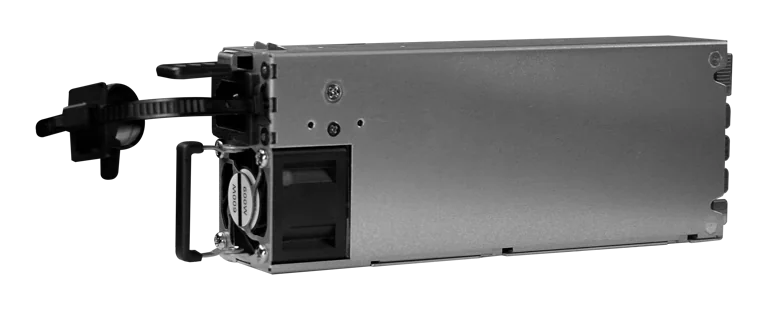
Buy MikroTik G1483-0600WNB in Kenya, a 600W hot-swappable 54.5V 10.35A power supply for the CRS320-8P-8B-4S+RM PoE++ switch, support
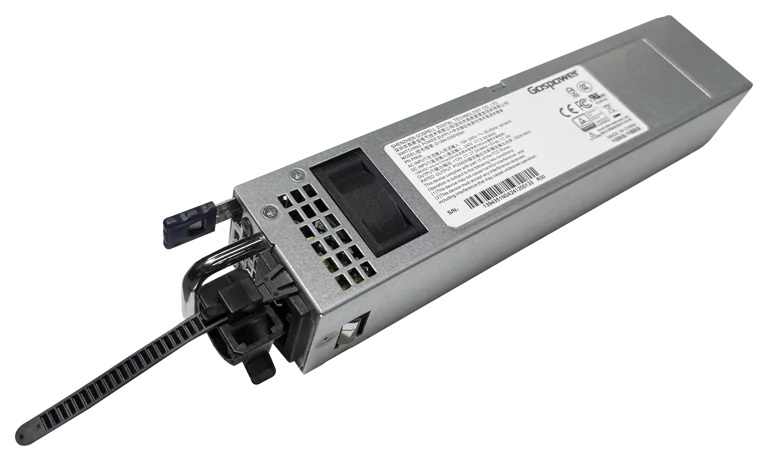
Buy MikroTik G1394-0350WNA in Kenya, a 350W hot-swappable 12V DC 27.5A AC power supply designed for the MikroTik CRS804 DDQ 400G swi
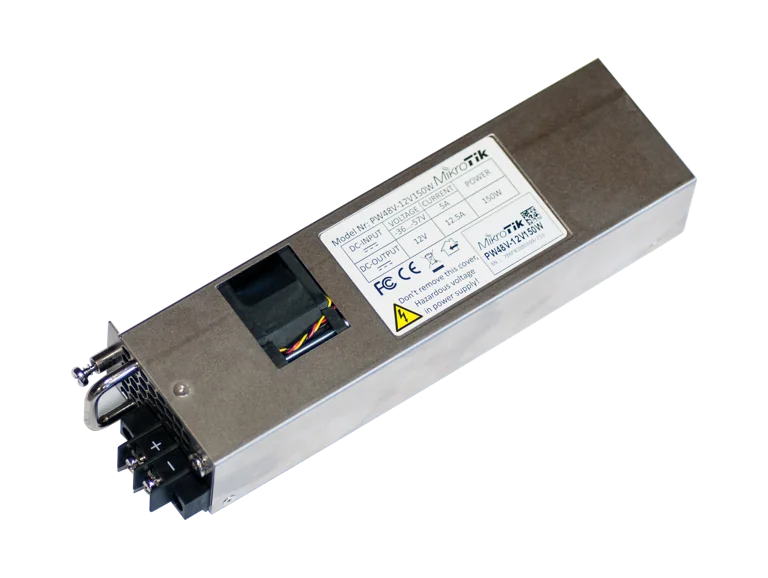
Buy MikroTik PW48V-12V150W in Kenya, a 150W hot-swappable -48V DC telecom power supply for CCR1072, CCR2216, CRS518 and CRS520 high-
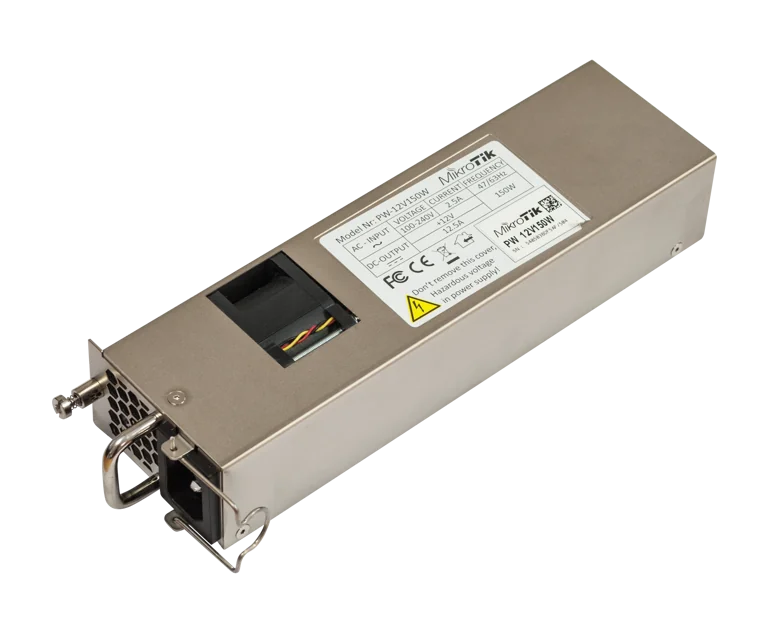
Buy MikroTik 12POW150 in Kenya, a 12V 150W hot-swap AC/DC power supply for CCR1072, CCR2216, CRS518 and CRS520 high-availability net