
MikroTik LTE Router Kenya: 4G Connectivity Guide
Choose a MikroTik LTE router in Kenya for backup internet, branches and remote sites using band, antenna, SIM, signal and failover guidance Request a.
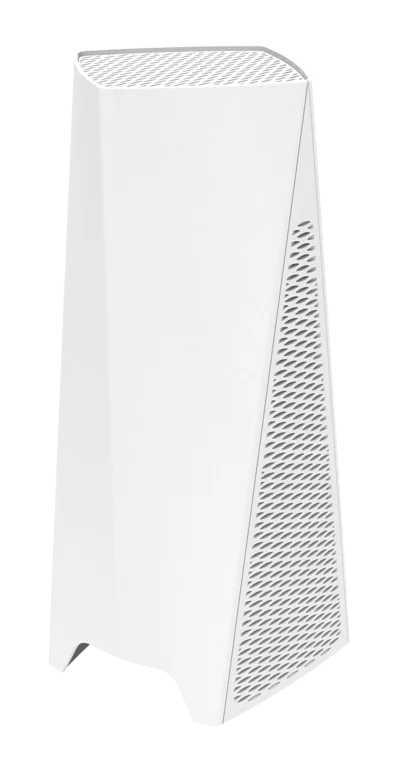
MikroTik LTE Router Kenya: 4G Connectivity Guide
MikroTik LTE Router Kenya — Products, Prices and Buying Advice
MikroTik LTE Router Kenya: 4G Connectivity Guide
Updated 2 September 2026 | Confirm current stock and quotation before payment
MikroTik LTE Router Kenya is best approached with a written requirement, an exact product code and a complete cost comparison. LTE performance depends on operator bands, tower loading, signal quality, antenna placement and data plan. Confirm the exact modem category and supported bands before purchase. Decide whether LTE is the primary WAN or automatic backup, then test failover and recovery. Outdoor LTE products can reduce cable loss by placing the modem near the antenna, with Ethernet carrying data indoors.
Start with the network requirement
Document the problem before selecting hardware. Record internet capacity, local traffic, user and device counts, floor plan, cable routes, interfaces, wireless coverage, VPNs, security zones, availability target and expected growth. This prevents a familiar product name or attractive price from driving the design.
Home and small office
Prioritise simple administration, Gigabit performance where required, suitable Wi-Fi and a recoverable configuration. Decide whether one integrated hAP is enough or whether a wired router plus separate access points will provide better placement and upgrades.
Hotels, schools and campuses
These sites need capacity and segmentation, not just broad coverage. Count concurrent clients, plan wired backhaul, separate staff, guest, CCTV and management traffic, and budget for PoE, switching, monitoring and secure central administration.
Enterprise and ISP
Validate routing scale, packet sizes, firewall rules, queues, VPN encryption, uplinks, optics, redundancy and support response. Test representative configurations because headline throughput rarely describes a production workload.
Essential product checks
- Complete MikroTik product code and hardware revision
- CPU architecture, memory, storage and supported software
- Ethernet, fibre, radio, LTE and USB interfaces required
- PoE standards, voltage, per-port output and total budget
- Indoor or outdoor rating, temperature and mounting
- Included PSU, injector, rack parts, antennas and cables
- New, refurbished or used condition
- Local warranty and return process
Performance: read specifications correctly
Routing and security
Laboratory test results vary with frame size and configuration. NAT, connection tracking, firewall filters, queues, tunnels and encrypted VPNs consume resources. Size the router for the intended feature set and preserve headroom for traffic growth and software maintenance.
Wireless
Wireless signalling rates are not application throughput. Walls, interference, channel width, client capability, distance and shared airtime determine real results. Multiple well-placed access points with wired backhaul often outperform one powerful radio placed at the internet entry point.
Switching and fibre
Confirm which features are hardware-offloaded on the selected switch. Match SFP-family speed, wavelength, fibre type, connector and distance at both ends. Include compatible optics and cleaning in the bill of materials rather than treating an empty fibre cage as a complete link.
LTE and outdoor links
Mobile and outdoor performance depends on spectrum, signal quality, tower or path loading, line of sight, antenna characteristics and local conditions. Survey and test at the intended location. Protect outdoor copper runs with suitable cable, earthing and surge measures.
Compare the complete Kenyan price
Ask for an itemised quotation showing hardware, VAT, delivery, accessories, installation, configuration and support. Imported equipment is sensitive to exchange rates, freight and replenishment cost, so two legitimate batches may have different prices. A dated quote with a validity period is more dependable than an undated search result.
- Match identical product codes.
- Confirm stock and condition.
- List every required accessory.
- Separate hardware and labour.
- Compare written warranty terms.
- Add delivery and payment charges.
- Include power protection and spares.
- Evaluate useful life and upgrade timing.
Supplier due diligence
Use a business with verifiable contact details and clear commercial records. Request a serialised invoice, keep proof of payment and ensure the legal seller is identified. Ask who handles warranty claims, where returns go and how long diagnosis normally takes. Avoid claims of official status that cannot be substantiated.
Technical competence
The seller should ask about requirements, explain limitations and distinguish product supply from professional services. For complex deployments, the safest answer may be a survey, proof of concept or alternative model rather than an immediate sale.
Online ordering and delivery
Confirm that stock is physically available before paying. Agree collection or courier details, insurance and the inspection window. Photograph damaged packaging before opening and report discrepancies promptly under the seller's stated process.
Installation and security baseline
Stage equipment away from production. Verify the label and contents, test ports and radios, install a suitable supported software release and replace default or inherited credentials. Restrict management to trusted networks or VPN, disable unused services and implement explicit firewall rules between security zones.
Build the configuration in controlled stages and test internet access, VLAN isolation, DNS, DHCP, VPN, PoE loads, wireless roaming and failover as applicable. Save an encrypted backup and readable export after acceptance. Do not expose management interfaces directly to the public internet merely for convenience.
Power, environment and resilience
Check input voltage, connector and maximum consumption. Size UPS capacity for the router, switches, access points, LTE equipment and upstream termination. Outdoor and rack installations need suitable temperature, airflow, mounting, cable strain relief, earthing and surge control.
For critical sites, price a compatible spare and document restoration. A spare without current software, correct power supply and tested backup may not shorten an outage. Schedule reviews of capacity, logs, configuration backups and software support.
Design decisions that prevent expensive mistakes
Do not confuse product families
MikroTik names often describe a family rather than one interchangeable device. hEX, hAP, CRS, CSS, CCR, cAP, wAP and LTE products serve different roles, and even models within a family can use different processors, port speeds, radios or power arrangements. Put the exact code on the quotation, invoice, delivery note and configuration record.
Separate routing, switching and wireless roles
A router controls traffic between networks, a switch connects wired devices and an access point provides wireless service. Some MikroTik products combine roles, but combined capability does not mean equal performance in every role. A modular design can improve placement, fault isolation and future upgrades, while an integrated device may be economical for a small simple site.
Plan interfaces end to end
A fast uplink is useful only when the devices, transceivers, fibre, patch leads and equipment at both ends support the same standard. Check speed negotiation, connector type, wavelength, PoE and cable category across the whole path. Document each port so installation does not depend on memory or trial and error.
Measure before upgrading
Collect CPU, memory, interface, latency, packet-loss and wireless utilisation data from the current network. Measurements reveal whether the constraint is routing, WAN service, radio congestion, cabling, power or configuration. Replacing hardware without identifying the bottleneck can preserve the original problem.
How to evaluate value over three years
Compare useful capacity, warranty, energy, required accessories, support and the probability of replacement—not only today's invoice. A model with adequate headroom and readily available spares can cost less over its life than a minimal device that must be replaced after the next bandwidth or user increase.
Estimate engineering time for deployment and routine changes. Standardising a few well-understood models can simplify backups, spares and training across several branches. However, standardisation should not force an unsuitable device into a high-capacity or specialised role. Record why each model was selected so the decision can be reviewed when requirements change.
Budget for lifecycle work
Networks require software review, configuration backups, log inspection, capacity monitoring and periodic testing of failover. Decide who owns these tasks and how support is requested. Hardware warranty replaces or repairs eligible equipment; it normally does not diagnose a network design, restore a configuration or provide an emergency onsite engineer.
Define acceptance before ordering
Write measurable acceptance criteria such as tested WAN throughput with the intended firewall, coverage in named rooms, VLAN isolation, PoE operation, fibre link stability, VPN access and recovery from an outage. Clear criteria align the buyer, supplier and installer and make project completion easier to verify.
Procurement checklist
- Write the use case and acceptance tests.
- Request exact product codes, not family names.
- Verify price, VAT, stock and quote expiry.
- Confirm all accessories and compatible optics.
- Document installation and support scope.
- Record serial numbers and warranty dates.
- Require secure credential and backup handover.
- Test before final acceptance.
Useful MikroTik Kenya guides
- MikroTik router prices in Kenya
- MikroTik switch prices in Kenya
- MikroTik CRS price guide
- MikroTik access points in Kenya
- Buy MikroTik Kenya guide
- Request a quotation
Frequently asked questions
What should I check before buying MikroTik LTE Router Kenya?
Confirm the full product code, interfaces, performance requirements, condition, included accessories, warranty, VAT, delivery and support in a dated quotation.
How can I confirm MikroTik equipment is genuine?
Use a traceable supplier, obtain a serialised invoice, inspect the product label and packaging, and keep written warranty and payment records.
Does the hardware price include configuration?
Usually not unless the quote says so. Ask whether setup, VLANs, firewall, VPN, wireless tuning, testing, documentation and handover are included.
Can the seller recommend the correct model?
A competent seller can shortlist models, but provide measured requirements and ask them to document assumptions. Complex sites may require a paid survey or design.
Should I choose the cheapest quotation?
Choose the lowest complete cost for the correct model and support level. Missing power supplies, optics, warranty or engineering can make a cheaper offer more expensive.
Are prices on the website guaranteed?
Web prices are date-sensitive and may change with stock, exchange rates and supplier costs. Confirm availability and obtain a current written quotation before payment.
What warranty details matter?
Check duration, exclusions, proof required, return location, turnaround time and whether the remedy is repair, replacement or credit.
Can MikroTik equipment be delivered outside Nairobi?
Delivery can be arranged by many Kenyan suppliers. Confirm destination, courier, insurance, dispatch time and the procedure for reporting transit damage.
What should be included in technical handover?
Request topology, IP plan, port schedule, software version, secure credential transfer, configuration export, backup, test results and support contacts.
How do I request a useful quotation?
State the use case, internet speed, users, ports, wireless coverage, PoE loads, fibre distances, mounting, redundancy and installation location.
Conclusion
MikroTik LTE Router Kenya decisions should balance correct specifications, genuine equipment, a complete Kenyan price, warranty and competent deployment. Confirm current stock and obtain a written quotation before payment.
MikroTik LTE Router Kenya: 4G Connectivity Guide FAQs
What should I check before buying MikroTik LTE Router Kenya?
Confirm the full product code, interfaces, performance requirements, condition, included accessories, warranty, VAT, delivery and support in a dated quotation.
How can I confirm MikroTik equipment is genuine?
Use a traceable supplier, obtain a serialised invoice, inspect the product label and packaging, and keep written warranty and payment records.
Does the hardware price include configuration?
Usually not unless the quote says so. Ask whether setup, VLANs, firewall, VPN, wireless tuning, testing, documentation and handover are included.