
MikroTik Hotspot Billing System in Kenya
Learn how a MikroTik hotspot billing system in Kenya works, including RADIUS, packages, user management, RB5009, payments, and WiFi hotspot setup.
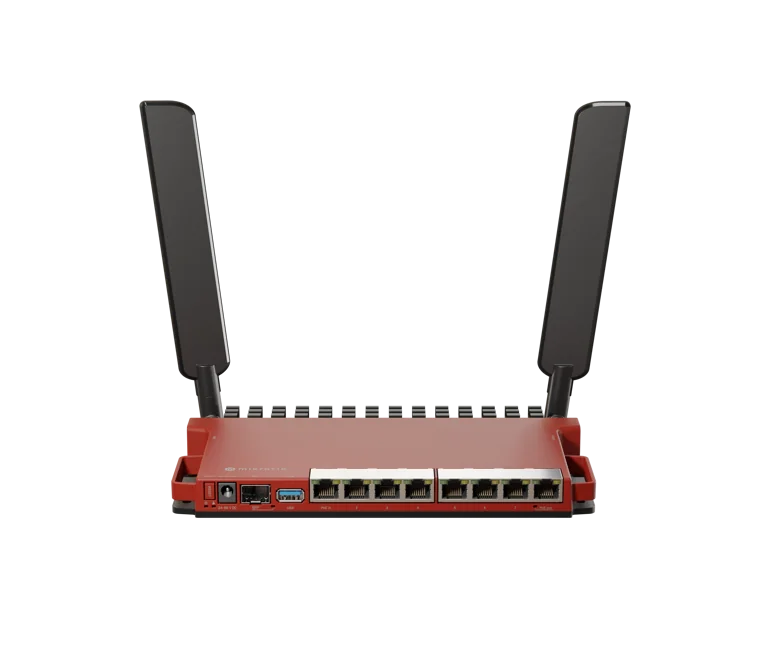
MikroTik Hotspot Billing System in Kenya
MikroTik ISP/Hotspot Billing System in Kenya
MikroTik Hotspot Billing System in Kenya
Running a successful WiFi business requires more than installing a router and sharing an internet connection. Once customers start paying for access, you need a reliable way to create packages, authenticate users, control speeds, manage expiry, track accounts, and automate service delivery.
This is where a MikroTik Hotspot Billing System in Kenya becomes important.
MikroTik RouterOS provides the networking foundation for hotspot authentication, bandwidth management, firewalling, RADIUS integration, and user access control. A billing platform can then handle the commercial side of the service, including packages, customer accounts, payments, subscriptions, vouchers, and account expiry.
For anyone building a hotspot business in Kenya, the most practical setup is usually:
Internet Connection → MikroTik Router → Billing/RADIUS System → Switch → Access Points → Customers
If you are still choosing your hardware, start with our guide to the Best MikroTik Router for Hotspot Business.
What Is a MikroTik Hotspot Billing System?
A MikroTik hotspot billing system is a platform used together with a MikroTik router to manage paid internet users.
The MikroTik router controls the network itself, while the billing system manages customer accounts and service packages.
The two systems normally communicate through RADIUS or another supported integration method.
A billing system can help manage:
Customer registration
Login credentials
Internet packages
Expiry dates
Renewals
Speed profiles
Session limits
Vouchers
Payments
User activation
User suspension
Accounting data
For a commercial hotspot, this reduces the amount of manual work required.
Why Use MikroTik for Hotspot Billing?
MikroTik RouterOS is widely used in hotspot and ISP environments because it includes many of the networking features required for paid internet access.
These include:
HotSpot captive portal
DHCP
NAT
Firewall
User profiles
Queues
VLANs
RADIUS client
PPP
Routing
Traffic monitoring
Instead of relying on a normal home router, MikroTik allows the network operator to create policies for different customers.
For example, a hotspot operator can sell:
PackageExample SpeedExample DurationBasic2 Mbps24 HoursStandard5 Mbps7 DaysPremium10 Mbps30 DaysBusiness20 Mbps30 DaysThese are example packages only. Actual pricing and speeds should depend on your internet capacity and business model.
How MikroTik Hotspot Billing Works
A typical customer journey may look like this:
The customer connects to the WiFi network.
The MikroTik router assigns an IP address.
The user is redirected to a hotspot login page.
The customer enters credentials or purchases a package.
The billing system checks whether the customer is authorized.
The MikroTik router receives the correct access policy.
The user is allowed onto the internet.
Speed and time limits are applied.
When the package expires, access can be disabled automatically.
This process helps turn an ordinary WiFi network into a managed commercial hotspot.
MikroTik HotSpot Captive Portal
RouterOS includes HotSpot functionality that can redirect users to a login page before giving them internet access.
The captive portal can be customized with:
Business logo
Package information
Login fields
Contact details
Payment instructions
Terms of service
This is useful for:
Apartment internet
Student hostels
Hotels
Restaurants
Public WiFi
Cyber cafés
Residential estates
Shopping centres
Camps
Schools
Offices
The captive portal should be simple and easy to use, especially for customers connecting on mobile phones.
MikroTik and RADIUS Billing
RADIUS is one of the most important technologies used in larger MikroTik hotspot systems.
Instead of storing all customer accounts directly on the router, the MikroTik can send authentication and accounting requests to an external RADIUS server.
This creates a centralized system.
The billing platform can decide:
Whether the customer is active
Which package applies
Which speed limit to assign
When the account expires
Whether simultaneous sessions are allowed
Whether the user should be disconnected
This becomes increasingly useful as the customer base grows.
For an automated platform, you can explore Tajira ISP and Hotspot Billing.
Why a Billing System Is Better Than Manual User Creation
For a very small hotspot, manually creating users in MikroTik may be manageable.
For example, if you only have 10 customers, you might create usernames and passwords directly in RouterOS.
But once your network grows to 50, 100, or 500 customers, manual management becomes inefficient.
Without billing automation, you may need to manually:
Create user accounts
Change passwords
Apply speeds
Disable expired users
Check payments
Renew accounts
Remove inactive users
That quickly becomes difficult.
A billing system centralizes these operations.
Best MikroTik Router for Hotspot Billing
The best router depends on the size of the deployment.
A rough guide is:
Network SizeMikroTik Router to ConsiderSmall hotspothEX / hEX SGrowing hotspotL009Medium hotspotRB4011Growing commercial networkRB5009Large ISP or hotspotCCR seriesThe router should not be selected based only on the number of registered accounts.
Consider:
Concurrent active users
Total internet bandwidth
Firewall load
Number of queues
RADIUS traffic
VLAN configuration
VPN usage
Number of connected networks
For a deeper comparison, read our guide to the MikroTik Router for 100 Hotspot Users.
MikroTik RB5009 for Hotspot Billing
The RB5009UG+S+IN is a strong option for professional hotspot deployments.
It includes:
Quad-core ARM64 processor
1 GB RAM
Seven Gigabit Ethernet ports
One 2.5 Gigabit Ethernet port
One 10G SFP+ interface
This makes it suitable for growing hotspot networks that may use:
Multiple access points
Managed switches
VLANs
Fibre uplinks
RADIUS
Queue management
Multiple WAN connections
A typical deployment could be:
Fibre ISP
↓
RB5009
↓
Managed PoE Switch
↓
Wireless Access Points
↓
Hotspot Customers
The billing platform communicates with the router separately through the configured authentication system.
MikroTik RB4011 for Hotspot Billing
The RB4011 is another common option for commercial networks.
It provides multiple Gigabit Ethernet ports and a 10G SFP+ interface.
It can be suitable for:
Apartment hotspots
Hotels
Schools
WISPs
Offices
Multi-building deployments
Managed WiFi providers
The RB4011 may be especially useful when you need several direct Ethernet connections.
If you are comparing these two models, see our RB4011 vs RB5009 guide.
MikroTik Billing for Apartment Internet
Apartment internet is one of the most common use cases for MikroTik billing systems in Kenya.
The network can be designed so that every tenant receives their own account.
A typical setup might be:
ISP Fibre
↓
MikroTik Router
↓
Managed Switch
↓
Floor Switches
↓
Access Points
↓
Tenant Devices
Customers can then purchase packages such as:
3 Mbps
5 Mbps
10 Mbps
20 Mbps
The billing system manages account status while the MikroTik enforces access and speed policies.
MikroTik Billing for Student Hostels
Student hostels often have high internet demand because users may connect:
Smartphones
Laptops
Smart TVs
Tablets
Gaming devices
A hotspot billing platform can help the operator sell packages to individual students.
It is important to design enough WiFi capacity.
A powerful MikroTik router alone will not solve congestion caused by insufficient access points.
You need to consider:
Number of rooms
Number of floors
Building materials
2.4 GHz and 5 GHz coverage
Channel interference
Number of devices per student
Peak evening traffic
MikroTik Hotspot Billing for Hotels
Hotels may use MikroTik billing for:
Guest WiFi
Paid premium WiFi
Conference internet
Long-stay guests
Staff networks
Some hotels offer free basic internet and charge for faster packages.
For example:
Free Guest WiFi – 2 Mbps
Premium WiFi – 10 Mbps
Conference WiFi – 20 Mbps
Different profiles can be created for different customer types.
MikroTik Hotspot Billing for Public WiFi
Public hotspot businesses may sell internet access in:
Shopping centres
Market centres
Bus stages
Restaurants
Cafés
Parks
Waiting areas
In these locations, time-based packages may work well.
Examples include:
1 hour
3 hours
6 hours
24 hours
7 days
A billing platform can automatically manage account validity.
Time-Based vs Speed-Based Hotspot Packages
Hotspot operators can sell packages based on time, speed, or both.
Time-Based Billing
Examples:
1 hour
6 hours
24 hours
7 days
This is common in public WiFi environments.
Speed-Based Billing
Examples:
2 Mbps
5 Mbps
10 Mbps
20 Mbps
This is more common in apartments and monthly subscriptions.
Combined Billing
Example:
10 Mbps for 30 days
This combines both speed and duration.
How to Configure MikroTik Hotspot Billing
The exact setup depends on your billing platform, but the general process includes several stages.
Step 1: Configure the Internet Connection
First confirm that the MikroTik router can access the internet.
The WAN may use:
DHCP
Static IP
PPPoE
Fibre handoff
Fixed wireless
Satellite connection
Step 2: Configure the LAN
Create the hotspot network or VLAN.
Assign an IP range.
For example:
192.168.10.0/24
or another suitable private range.
Step 3: Configure DHCP
Set up DHCP so customers receive IP addresses automatically.
Step 4: Configure DNS
Ensure clients can resolve domain names properly.
Step 5: Configure NAT
Set up appropriate source NAT to provide internet access.
Step 6: Configure Firewall Rules
Protect the MikroTik router and internal management services.
Step 7: Create the HotSpot Service
Use RouterOS HotSpot setup or manual configuration to create the captive portal network.
Step 8: Configure User Profiles
Define package profiles.
Examples:
2 Mbps
5 Mbps
10 Mbps
20 Mbps
Step 9: Configure RADIUS
Add the billing platform's RADIUS server information.
This normally includes:
Server IP
Secret
Authentication settings
Accounting settings
Step 10: Connect the Billing System
Configure the billing platform with the MikroTik router.
Step 11: Test Authentication
Create a test customer account.
Verify:
Login
Speed
Session duration
Expiry
Disconnection
Renewal
Step 12: Test Failure Conditions
Also test what happens when:
RADIUS is unavailable
Internet fails
Customer payment expires
The router restarts
The billing server restarts
Commercial systems should be tested before customers depend on them.
For general router setup guidance, read How to Configure MikroTik Router in Kenya.
Bandwidth Management in MikroTik Billing
Bandwidth management is essential for a hotspot business.
Without speed controls, a small number of customers can consume most of the internet connection.
MikroTik provides several options for controlling bandwidth, including:
Simple Queues
Queue Trees
PCQ
HotSpot rate limits
RADIUS-delivered rate limits
Which one you should use depends on the network.
For a billing system, RADIUS-based speed assignment can be convenient because customer packages are managed centrally.
Example Hotspot Packages
A billing platform could be configured with packages such as:
PackageSpeedDurationDaily Basic2 Mbps24 HoursDaily Plus5 Mbps24 HoursWeekly5 Mbps7 DaysMonthly Basic5 Mbps30 DaysMonthly Plus10 Mbps30 DaysBusiness20 Mbps30 DaysThese are examples only.
Your actual packages should reflect:
Internet cost
Customer affordability
Competition
Oversubscription level
Network capacity
Hotspot Billing and Mobile Payments
For the Kenyan market, mobile payment integration can be extremely useful.
Customers prefer a process that is fast and familiar.
A good billing workflow should ideally minimize the steps between:
Payment
and
Internet activation.
The exact payment options available depend on the billing platform being used.
If mobile payment automation is important to your business, confirm the supported payment integrations before choosing the platform.
Voucher-Based Hotspot Billing
Voucher billing remains useful in some environments.
The operator can generate access codes with different values.
For example:
Voucher A
1 Hour – 2 Mbps
Voucher B
24 Hours – 5 Mbps
Voucher C
7 Days – 10 Mbps
Customers enter the voucher code on the captive portal.
Vouchers can work well for:
Hotels
Cafés
Events
Public WiFi
Schools
Temporary users
Monthly Subscriber Billing
For apartments and residential internet, monthly subscriptions may be more suitable.
Each customer can receive:
Username
Password
Package speed
Activation date
Expiry date
The billing platform tracks account status and the MikroTik enforces network access.
This can make a hotspot operation function more like a small ISP.
Hotspot Billing vs PPPoE Billing
MikroTik supports both HotSpot and PPPoE deployments.
They are not exactly the same.
HotSpot
Commonly used when customers connect through WiFi and log in through a captive portal.
Good for:
Public WiFi
Hotels
Cafés
Hotspots
Student areas
PPPoE
Often used for fixed subscribers where each customer's router establishes a PPPoE session.
Good for:
Apartments
Home internet
Small WISPs
Fibre networks
Some providers use both.
The right method depends on how customers connect.
Can MikroTik Billing Work Without Internet?
The local hotspot and RADIUS architecture may continue to function in some scenarios, but customers obviously cannot reach the public internet if the upstream internet connection is down.
If the billing server itself is hosted remotely, internet or WAN availability may also affect authentication.
Therefore, consider:
Local RADIUS
Remote RADIUS
Redundancy
Backup WAN
Server availability
when designing the system.
Using Two Internet Providers
A commercial hotspot can benefit from redundancy.
For example:
Primary Fibre ISP
Backup Internet Provider
↓
MikroTik Router
The router can be configured with failover logic.
This helps reduce downtime if the primary provider fails.
The exact configuration should be tested carefully.
Network Security for Hotspot Billing
Security should be part of the design from the beginning.
Important measures include:
Strong MikroTik admin password
Disable unnecessary services
Restrict WinBox access
Restrict SSH
Restrict API access
Protect RADIUS secrets
Use firewall rules
Separate management VLAN
Keep RouterOS updated
Back up configuration
Restrict customer-to-customer communication where appropriate
Avoid exposing MikroTik management ports directly to the public internet unless there is a properly secured reason to do so.
MikroTik API and Billing Systems
Some billing platforms may use the MikroTik API in addition to or instead of RADIUS for certain operations.
The API can allow external systems to communicate with RouterOS.
However, API access should be secured carefully.
Important considerations include:
Restrict source IPs
Use strong credentials
Avoid exposing API broadly
Use encrypted methods where supported
Apply firewall filters
Monitor login attempts
Never expose router management services without security controls.
MikroTik Billing for 100 Users
For approximately 100 hotspot customers, a billing system becomes especially useful.
A network at this size may require:
Multiple packages
Account renewals
Automatic expiry
Bandwidth policies
RADIUS authentication
Session accounting
For hardware sizing, see our full article on the MikroTik Router for 100 Hotspot Users.
MikroTik Billing for 500 Users
At 500 customers, the design should become more structured.
You may need:
Stronger MikroTik router
Dedicated billing server
Better RADIUS architecture
Managed switches
VLAN segmentation
More access points
Fibre backbone
Network monitoring
Power backup
Depending on the workload, models such as the RB5009 or suitable CCR devices may be considered.
Do not choose the router based only on the account count.
How to Choose a Billing System
Before selecting a MikroTik hotspot billing system, check whether it supports the features your business needs.
Look for:
MikroTik integration
RADIUS support
Customer management
Package management
Payment integration
Expiry automation
Session control
Reports
Voucher generation
Subscriber status
Backup options
Technical support
A complicated platform is not automatically a better one.
Choose a system your team can operate consistently.
Hardware Needed for a MikroTik Hotspot Billing Business
A typical deployment may require:
MikroTik router
Managed switch
PoE switch
Wireless access points
Network cables
Fibre modules
Network cabinet
UPS
RADIUS server
Billing platform
Internet connection
You can browse MikroTik products in Kenya when planning your hardware.
You can also compare additional MikroTik equipment from Tawa Kenya.
MikroTik Hotspot Billing System Cost in Kenya
The total cost depends on the size of the network.
Expenses may include:
Router
Switches
Access points
Cabling
Installation
Billing software
Server hosting
Internet service
Power backup
Maintenance
A small café hotspot can cost significantly less than a multi-building apartment network.
Do not budget only for the router.
The wireless network and internet connection usually have a major impact on customer experience.
Common Hotspot Billing Problems
Customers Cannot Log In
Possible causes include:
RADIUS misconfiguration
Incorrect secret
Wrong server IP
Firewall blocking requests
Expired account
Incorrect username/password
Customers Log In but Have No Internet
Possible causes include:
WAN failure
NAT issue
DNS issue
Firewall issue
Routing problem
Speed Limits Are Not Working
Check:
User profile
RADIUS attributes
Queue configuration
Package mapping
Users Stay Connected After Expiry
Check:
Accounting
Session timeout
Billing system disconnect process
RADIUS CoA support where applicable
Billing System Cannot Reach MikroTik
Check:
API service
Firewall
IP address
Routing
VPN
Credentials
Port configuration
Should You Host the Billing System Locally or on a VPS?
Both approaches have advantages.
Local Server
Advantages:
Local control
Authentication may continue without remote server connectivity
Low latency
Disadvantages:
Requires onsite hardware
Requires power backup
Requires maintenance
VPS
Advantages:
Accessible remotely
Easier to centralize several sites
No physical server at the hotspot
Disadvantages:
Depends on WAN connectivity
Requires strong security
Requires server administration
Large hotspot businesses may prefer a centralized VPS architecture.
Multi-Site MikroTik Hotspot Billing
A centralized billing system can manage several hotspot sites.
For example:
Site A – Nairobi
Site B – Nakuru
Site C – Kisumu
Site D – Mombasa
Each location can have its own MikroTik router while all routers authenticate against one central system.
This is useful for operators expanding into multiple locations.
MikroTik Hotspot Business Expansion
Once the billing system is working reliably, you can scale by adding:
More customers
More access points
Additional buildings
Higher internet bandwidth
New packages
New hotspot locations
A properly designed MikroTik network makes this easier.
If you are still selecting your core router, read our Best MikroTik Router for Hotspot Business.
Frequently Asked Questions
What is a MikroTik hotspot billing system?
It is a platform integrated with a MikroTik router to manage paid internet customers, packages, authentication, account expiry, speed profiles, and subscriber access.
Can MikroTik manage hotspot users without billing software?
Yes. RouterOS can manage local HotSpot users directly. However, a billing platform becomes more useful as customer numbers increase.
Which MikroTik router is best for hotspot billing?
Small networks can consider hEX or L009 devices, while medium and growing commercial networks may consider RB4011 or RB5009. Larger operations may require suitable CCR routers.
Can MikroTik hotspot billing use RADIUS?
Yes. RADIUS is commonly used to centralize authentication and accounting for MikroTik hotspot customers.
Can I automate hotspot payments in Kenya?
Automation depends on the billing platform and the payment gateway it supports. Check whether your chosen platform supports the payment methods required for your customers.
Where to Buy MikroTik Equipment for Hotspot Billing
You can browse routers and networking hardware through MikroTik Kenya and compare options in our MikroTik products category.
For additional MikroTik equipment, visit Tawa's MikroTik product range.
For small-business MikroTik selection, you can also read this external guide from Orbitlink Solutions.
For billing automation, explore Tajira.
Final Thoughts
A MikroTik Hotspot Billing System in Kenya can transform a basic WiFi installation into a structured internet business.
The MikroTik router handles the network side of the operation, including routing, hotspot authentication, firewalling, bandwidth management, and RADIUS communication.
The billing system handles the commercial side, including packages, customer accounts, expiry, renewals, payments, and service activation.
For small networks, manual user management may work temporarily. As the customer base grows, however, centralized billing becomes much more practical.
The most important thing is to design the entire system properly.
Choose the right MikroTik router, install enough access points, size the internet connection correctly, secure the network, and select a billing platform that can support your business as it grows.
For your next step, read our guides to the Best MikroTik Router for Hotspot Business and the MikroTik Router for 100 Hotspot Users.