
MikroTik Managed switches in Kenya
Explore MikroTik managed switches in Kenya. Learn how VLANs, network monitoring and access controls help businesses organise their networks.
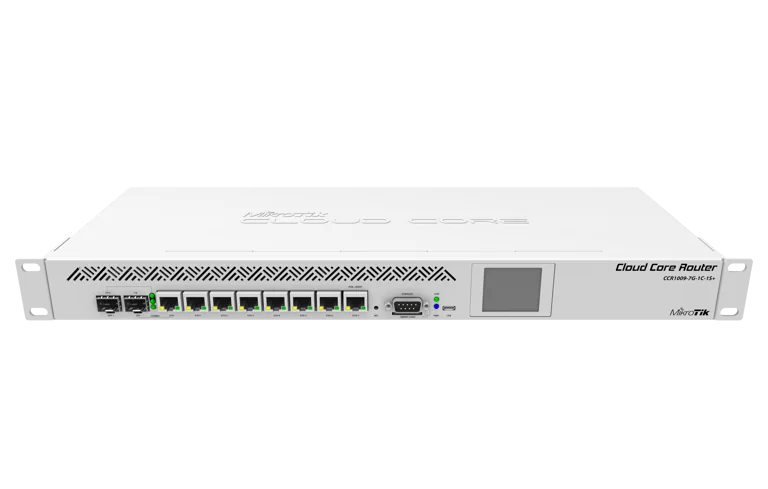
MikroTik Managed switches in Kenya
managed network switches Kenya, MikroTik VLAN switches, business network switches Kenya, MikroTik switch configuration
MikroTik Managed Switches in Kenya: Business Guide
MikroTik Managed Switches in Kenya: When Does Your Business Need One?
As a business network grows, connecting more devices is only part of the challenge. You may also need to separate visitors from staff, control access to equipment and investigate connection problems without disconnecting everyone.
A managed switch gives administrators configurable controls over the network. The available functions depend on the model and software, but the value comes from applying those controls to specific business needs.
If you are comparing MikroTik managed switches in Kenya, start by identifying what you need to manage. This guide explains the requirements to consider before selecting equipment from MikroTik Kenya.
What Makes a Switch “Managed”?
A managed switch provides an administrative interface for configuring supported functions and inspecting its operation. An unmanaged switch generally provides basic connectivity without that level of configuration.
This distinction is separate from connection speed. A managed switch is not automatically faster simply because it has more settings.
RequirementWhy management capabilities may helpSeparate staff and guest networksConfigure VLAN membership on relevant portsInvestigate connection problemsInspect supported interface status and statisticsControl administrative accessRestrict who can reach management servicesConnect multiple switchesConfigure uplinks and supported redundancy featuresMaintain a growing installationRecord, back up and review configuration changesConfirm the exact capabilities you need on the proposed model. Avoid assuming that every managed switch offers identical features.
Use VLANs to Organise Different Device Groups
A business may connect staff computers, cameras, printers, visitors’ devices and servers through shared switching infrastructure.
VLANs allow that infrastructure to carry separate logical networks. For example, you could create distinct segments for staff, guests, cameras and equipment management.
RouterOS bridge VLAN filtering uses a table to specify which VLANs are permitted on each port. Tagged and untagged membership determines how traffic passes through the configured connections. MikroTik Documentation
Before configuration, write down the purpose of each segment. Creating VLANs without an access plan can leave you with additional complexity but little practical benefit.
Define Which Networks May Communicate
Network separation needs an explicit access policy.
Staff may need to reach a printer and an application server. Visitors may need internet access only. Cameras may need to communicate with a recorder, while their administrative pages should remain restricted.
Decide where routing between these networks will occur and which device will enforce the access rules.
A VLAN separates a Layer 2 network; it does not automatically define every permitted routed connection. The router or other routing device must apply the intended policy.
Document the required connections in ordinary language before translating them into configuration. This makes the design easier for the business owner and installer to review together.
Match the Switch to Its Physical Connections
Management features cannot compensate for an unsuitable port arrangement.
Count the devices that need copper Ethernet, fibre or direct-attach connections. Include uplinks and leave space for planned additions.
For a compact office requiring multi-gigabit connections, the MikroTik CRS310-8G+2S+IN provides eight 2.5G Ethernet ports and two 10G SFP+ ports. MikroTik lists VLANs, link aggregation and ACL rules among its supported capabilities. CRS310-8G+2S+IN
Review the MikroTik CRS310-8G+2S+IN against your endpoint and uplink requirements.
For an installation centred on SFP+ connections, assess the different interface layout of the MikroTik CRS309-1G-8S+IN.
Treat PoE as a Separate Requirement
A managed switch does not necessarily provide power to connected devices.
If your installation includes cameras, phones or access points, confirm whether the switch supplies compatible PoE output. Check the required standard, individual port limits and total power budget.
The MikroTik CRS354-48P-4S+2Q+RM PoE switch is a model to assess when the project involves many powered endpoints.
Provide suppliers with exact endpoint model numbers. This allows them to evaluate both the data connection and power requirements.
Use Network Visibility to Investigate Problems
One practical reason to choose managed equipment is the ability to inspect what is happening.
When a device loses connectivity, an administrator can use the available interface information to narrow the investigation. Depending on the platform, relevant observations may include link status, negotiated speed, traffic counters and errors.
These observations are clues, not automatic diagnoses. A high error count still needs investigation of the cable, connector or equipment involved.
Ask the installer to demonstrate how to check a known port and identify its connected device. Clear labels and a port map make these tools far more useful.
You can compare equipment ranges through the MikroTik switches category at Orbitlink Solutions.
Protect the Management Interface
The switch’s administrative interface should be accessible only through approved paths.
Decide which administrators and devices need access. Use unique credentials, store them securely and review access when responsibilities change.
Where a management VLAN is used, make sure it is carried correctly through the relevant links. MikroTik’s documentation explains that VLAN filtering can control access to the device itself as well as traffic between bridge ports. MikroTik Documentation
Plan a recovery method before changing management settings. A misconfigured uplink or VLAN can disconnect the administrator along with ordinary users.
Choose Software and Features Deliberately
Some MikroTik switches offer a choice between RouterOS and SwOS. For example, MikroTik lists both options for the CRS310-8G+2S+IN. CRS310-8G+2S+IN
Select the operating environment according to the required functions and the administrator’s support plan. Verify feature availability on the exact model and software release before deployment.
Also distinguish hardware switching performance from traffic processed by the CPU. Adding routing, filtering or other services can change the workload substantially.
For additional product comparisons, browse MikroTik switches at Jupitaz and Network Switch Kenya’s MikroTik range.
Include Configuration in the Purchase Budget
Managed equipment needs an appropriate setup and handover.
Ask whether the quotation includes:
- VLAN and uplink configuration.
- Management-access restrictions.
- Compatibility checks for connected equipment.
- Tests of required and blocked connections.
- Configuration backups and documentation.
- Post-installation assistance.
For a compact office model, compare the CRS310 listing at Tawa and the CRS310 listing at Reisen SEO.
Confirm current prices, availability and service inclusions directly. A hardware-only quotation should not be compared with a fully installed solution as though they cover the same work.
Test the Rules Before Accepting the Installation
Acceptance testing should cover more than internet browsing.
Check that staff can access required applications, guests cannot reach restricted resources and authorised administrators can manage the equipment.
Test from several relevant ports and wireless networks. Verify that devices receive the intended addressing and that uplinks carry only the planned segments.
Keep the final configuration, port map and test results together. Update them when the network changes.
Frequently Asked Questions About MikroTik Managed Switches
Does every small business need a managed switch?
Not necessarily. A simple network may have few configuration requirements. Managed switching becomes more useful when you need separation, visibility or controlled expansion.
Will a managed switch make internet access faster?
Not by itself. Performance depends on the connection speeds, workload and internet service. Management features help organise and inspect the network.
Can guest WiFi and staff devices share the same physical switch?
Yes, with a suitable VLAN design and compatible equipment. Routing and access policies must enforce the intended separation.
Do all MikroTik managed switches support the same features?
No. Verify the exact hardware, operating system and software requirements before purchasing.
Where can I buy MikroTik managed switches in Kenya?
Visit MikroTik Kenya and compare models against your port, PoE and management requirements. Include a short description of the networks you want to separate when requesting an installation quotation.